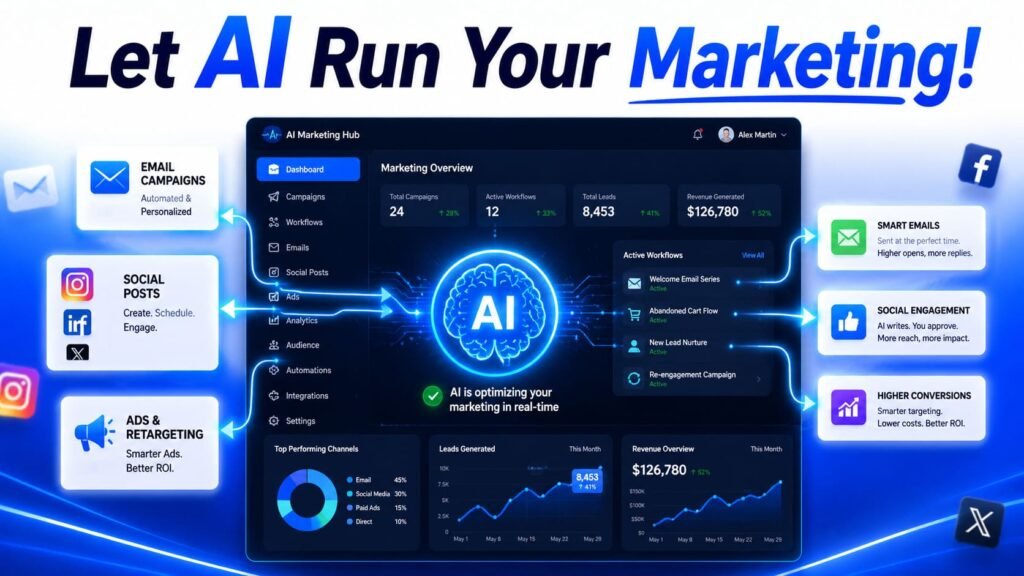
- Most marketing teams already use AI in five or six different tools. The problem isn’t lack of AI, it’s that none of those tools share information with each other.
- The five areas where automation pays off most: campaign reporting, content production, audience segmentation, ad optimization, and lead handoff to sales.
- Connected workflows cut operational marketing costs by around 12 percent and customer acquisition costs by 30 to 40 percent, mostly by closing the gap between insight and action.
- Campaign reporting that used to take days now runs on natural language queries, no dashboard building required.
- The starting point that works for most teams: pick the workflow where data is currently being moved manually between two tools, and connect those two first.
Open up most marketing teams’ tool stack and you’ll find AI everywhere. The CRM has AI-powered lead scoring. The content tool generates first drafts. The ad platform optimizes bids automatically. The social scheduler suggests captions. Individually, every piece looks automated.
And yet someone is still manually exporting campaign data into a deck every Monday. Someone is still copying audience segments from the analytics tool into the email platform. Someone is still checking the ad dashboard, then manually adjusting budgets in a spreadsheet, then updating the CRM with new lead scores. The AI is there. It’s just not talking to itself.
This is the gap that actually matters for marketing teams in 2026. Not “should we use AI”, almost everyone already does, but “are the AI tools we use actually connected, or are they five separate islands that happen to all have AI on them.” Here’s where the connections pay off most, and what it looks like to build them.
Campaign reporting: from days to minutes
Reporting is the clearest example of what changes when AI moves from “a feature in one tool” to “a workflow across tools.” The old process: pull data from the ad platforms, pull data from the email tool, pull data from analytics, manually reconcile it all into a spreadsheet, then build a deck explaining what happened. For a mid-size campaign across several channels, that’s easily a full day, sometimes spread across a week of waiting for different exports.
The connected version replaces most of that with natural language queries against data that’s already pulled together automatically. Ask “how did the Q2 email campaign perform compared to Q1” and get an answer with the actual numbers, not a prompt to go build a dashboard first. The shift isn’t that AI writes the report. It’s that the data from every channel is already sitting in one place, updated continuously, so the question can just be answered.
The bottleneck is almost never “we don’t have an AI tool that can answer this question.” It’s that the data the question needs is spread across four platforms that don’t sync with each other. Before adding another AI tool, check whether your existing tools are actually connected. Often the fix is a data pipeline, not a new subscription.
Content production at the pace campaigns need
A typical AI content workflow for marketing now looks something like: keyword research identifies what to write about, an AI tool generates a brief and first draft, an optimization pass checks it against SEO and readability standards, a human edits, and it publishes. For a 2,000-word article, that’s roughly 2 to 4 hours end to end, compared to 6 to 10 hours without AI assistance, while still meeting the quality bar needed to actually rank.
What makes this a workflow rather than just “using ChatGPT” is the connection between stages. The brief generated from keyword research directly informs the draft, rather than someone manually summarizing research findings into a prompt. The optimization pass happens automatically once a draft exists, rather than as a separate step someone has to remember to run. Each piece feeds the next without manual handoffs.
For marketing teams specifically, this content pipeline usually extends past the first piece. A blog post becomes social posts, an email blurb, maybe a short video script, all generated from the same source content through the same kind of connected process. The platforms and approach for building this out are covered in how to build an AI content creation workflow, which goes deeper into the repurposing step specifically.
Audience segmentation without the manual rule-building
Building audience segments used to mean someone sitting down with a list of conditions: signed up in the last 30 days, hasn’t completed onboarding, opened at least two emails, and so on, then manually constructing that logic in whatever platform handles email or ads. Every new segment idea meant going back to rebuild the rules from scratch.
AI-assisted segmentation lets you describe the segment in plain English and has the platform build the underlying logic. “Users who signed up in the last 30 days but haven’t created a project” becomes a working segment without anyone manually configuring filter conditions. This matters most for non-technical team members who have good instincts about who to target but have historically been blocked by needing someone else to build the segment for them.
The bigger shift is what this enables: segments that used to be too time-consuming to build for a one-off campaign are now quick enough to test. If someone has an idea for a niche audience that might respond well to a specific message, testing that idea costs minutes instead of the hour or two it used to take to build and verify the segment logic manually.
Five areas where connected AI pays off most
| Area | Manual version | Connected version |
|---|---|---|
| Campaign reporting | Export, reconcile, build deck | Ask a question, get the answer |
| Content production | Research, brief, draft as separate steps | Research feeds brief feeds draft automatically |
| Audience segmentation | Manually build filter logic per segment | Describe segment in plain English |
| Ad optimization | Check dashboard, manually adjust bids | Platform adjusts bidding and creative automatically |
| Lead handoff to sales | Export list, email sales, manual CRM update | Scored leads route to CRM with context attached |
Ad optimization: where AI has gone furthest
Paid advertising is where AI automation is most mature, mostly because the platforms themselves, Google and Meta, have built AI deep into their core products. Google’s Performance Max campaigns automatically optimize bidding, targeting, and creative across Search, Display, YouTube, and Shopping from a single setup. The question for most teams isn’t whether to use this kind of automation, it’s how to configure it so it’s optimizing for the outcomes that actually matter to the business, not just the metrics the platform finds easiest to improve.
This is also where the “connected” part matters most, because the AI optimizing your ad spend is only as good as the conversion data it’s learning from. If your CRM data isn’t flowing back into the ad platform, accurately and without delay, the AI is optimizing toward a proxy for success rather than actual revenue. Teams that get the most out of automated bidding tend to be the ones who’ve put real effort into making sure the feedback loop, ad spend leads to a conversion, conversion data flows back to the ad platform, is tight and accurate.
Lead handoff: where marketing automation meets sales
This is often the weakest link in an otherwise automated marketing stack, and it’s the one with the most direct impact on revenue. A lead fills out a form, gets scored by marketing automation, and then… often sits in a list until someone exports it and emails sales, or until a sales rep happens to check the CRM.
The connected version routes scored leads directly into the CRM with the context that produced the score attached: what content they engaged with, what triggered the high score, when it happened. A sales rep opens a new lead and immediately sees why it’s marked as high priority, rather than a bare name and email address with no context. The time between “lead becomes qualified” and “sales rep has the information to follow up well” shrinks from however long it takes someone to notice, to essentially zero.
What connected AI workflows change
| Metric | Typical change |
|---|---|
| Operational marketing costs | Down ~12% |
| Customer acquisition cost | Down 30 to 40% |
| Time to produce a 2,000-word article | 6 to 10 hrs to 2 to 4 hrs |
| Time from lead qualification to sales follow-up | Hours/days to near-instant |
Figures reflect commonly reported ranges for teams with connected AI workflows versus disconnected tool stacks.
Common misconceptions
“We need more AI tools.” Most marketing teams already have AI in most of the tools they use. The gap is almost always in the connections between them, not in AI capability itself. Before evaluating a new tool, map out where data currently moves manually between your existing tools. That’s usually where the actual opportunity is.
“AI workflow automation means less human involvement in marketing.” It mostly means less time spent moving data and building reports, and more time available for the things AI still doesn’t do well: strategy, creative direction, and understanding why a campaign worked or didn’t beyond what the numbers show.
“Automated bidding means we don’t need to think about ad strategy.” Automated bidding optimizes toward whatever signal it’s given. If that signal is wrong, lagging, or disconnected from actual revenue, the automation will just get very good at chasing the wrong thing. The strategy work shifts from manual bid adjustments to making sure the automation has the right data to learn from.
“This is only relevant for large marketing teams with big budgets.” Some of the biggest relative time savings show up for small teams, where one person is doing the job that would take a larger team’s worth of manual reporting, content production, and lead follow-up. Connected AI workflows often matter more when there’s no spare headcount to absorb the manual work.
Where to start
Look at your team’s week and find the place where someone is manually moving information from one tool to another, exporting a report, copying a segment, forwarding a lead list. That’s the connection to build first. It’s usually the most visible time cost, and fixing it tends to surface the next bottleneck once it’s gone.
The tools and platforms that actually move the needle for marketing teams specifically, beyond just the workflow logic, are covered in AI tools for marketers that boost conversions and save time. And if you’re thinking about how this fits into automation more broadly across the business, not just marketing, the AI workflow automation use cases guide covers the same connect-one-thing-at-a-time approach applied to other departments.