
Most content creators aren’t struggling because they lack ideas. They’re drowning in execution. Writing scripts, generating visuals, editing footage, writing captions, scheduling posts — it never stops. And if you’re a solo creator or a small team, the gap between what you want to produce and what you actually ship keeps growing.
That’s where AI tools for content creators have become genuinely useful. Not the overhyped “AI will do everything” version — but the practical, saves-you-three-hours-on-Tuesday version. This article covers the best ones available in 2026, what they’re actually good at, and how to think about adding them to your workflow without making it more complicated than it needs to be.
What to Actually Look for in an AI Content Tool
Before jumping into the list, it’s worth getting clear on what makes an AI tool worth using versus what’s just noise. A few filters that matter:
- Does it fit into your existing workflow? A tool you have to context-switch to constantly will get abandoned in week two.
- Output quality vs. editing time — AI output that requires 45 minutes of cleanup isn’t saving you anything.
- Pricing that makes sense at your scale — A $99/month tool is only worth it if it replaces something more expensive or frees up time you can monetize.
- Platform fit — Are you primarily on YouTube, Instagram, LinkedIn? Some tools are platform-agnostic; others are clearly built for one use case.
Keep these in mind as you read through. The best AI tools for content creators aren’t the ones with the longest feature list — they’re the ones you actually use every week.
The Best AI Tools for Content Creators in 2026
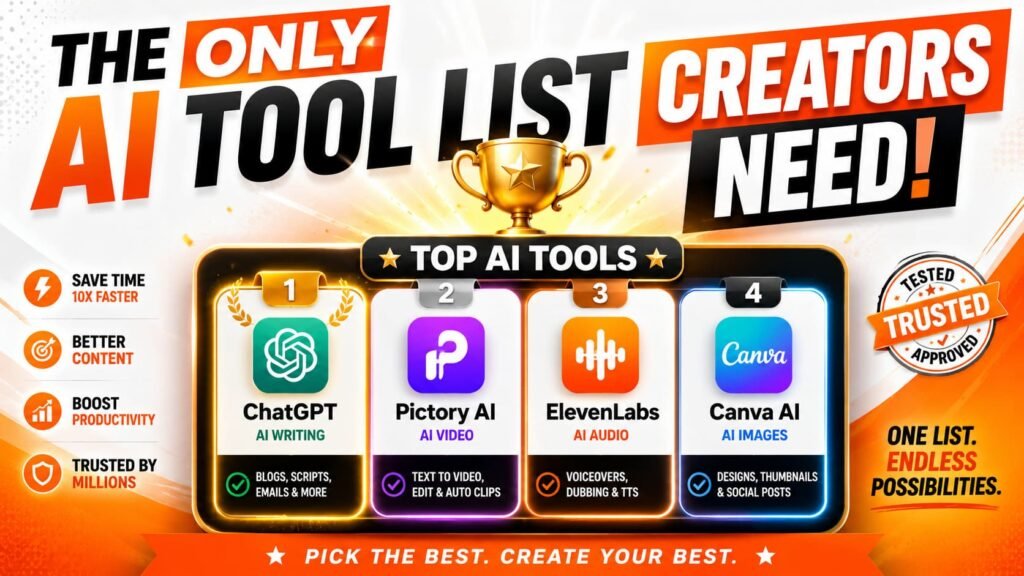
1. ChatGPT — Writing, Ideation & Research
Still the most versatile starting point. ChatGPT (GPT-4o and later) is strong for scripting, repurposing long-form content into short snippets, writing email newsletters, and brainstorming content angles you wouldn’t have landed on yourself.
Best for: Scripting, caption writing, blog drafts, content repurposing
Key feature: Custom GPTs let you build a version tuned to your voice and niche
Pricing: Free tier available; Plus at $20/month
Real talk: it won’t write in your voice without training it on examples. Give it 5–10 samples of your own writing and the output gets significantly closer.
2. Descript — Video & Podcast Editing
Descript treats your video like a text document. Edit the transcript, and the video edits itself. It sounds like a gimmick the first time you hear it — then you use it and realize you just cut 40 minutes of editing down to 12.
Best for: YouTube creators, podcasters, anyone who interviews guests
Key feature: Overdub (AI voice cloning to fix audio mistakes), filler word removal, speaker detection
Pricing: Free plan available; Creator plan at $24/month
3. Runway — AI Video Generation & Editing
If you’re creating faceless content or need B-roll you can’t easily film, Runway’s Gen-3 model is the current benchmark for text-to-video and image-to-video quality. It’s not perfect — motion can still look slightly uncanny on complex scenes — but it’s the closest to production-ready that exists right now.
Best for: Faceless YouTube channels, social media video, creative visual content
Key feature: Gen-3 Alpha, motion brush, background removal, inpainting
Pricing: From $15/month (Standard)
4. Midjourney — AI Image Generation
For thumbnails, article headers, social media graphics, and any visual content that doesn’t require photography, Midjourney v6 produces images that consistently outperform most other generators on aesthetic quality. The Discord-based interface is a little awkward, but the output speaks for itself.
Best for: Thumbnails, blog images, visual branding, Instagram content
Key feature: –style, –sref (style reference), and image prompting for consistent visuals
Pricing: From $10/month (Basic)
5. ElevenLabs — AI Voiceover & Audio
ElevenLabs has become the go-to for creators who need narration without recording every line themselves. Voice cloning quality is now good enough that most viewers won’t notice the difference. It’s particularly useful for faceless content, language dubbing, and explainer videos.
Best for: Faceless channels, explainer videos, multilingual content
Key feature: Voice cloning, Projects (long-form audio narration), dubbing
Pricing: Free tier (limited); Starter at $5/month
6. Canva AI — Design & Visual Content
Canva has integrated AI across its platform in ways that are actually useful rather than just decorative. Magic Design generates starting templates from a prompt, Magic Write handles copy, and the AI image generator inside Canva means you can produce polished graphics without leaving the tool.
Best for: Social media graphics, carousels, presentation slides, quick thumbnails
Key feature: Magic Design, background removal, text-to-image, brand kits
Pricing: Free plan available; Pro at $15/month
7. Opus Clip — Repurposing Long Video into Shorts
You upload a long video, Opus Clip identifies the most engaging moments using AI, and spits out short-form clips with captions already burned in. The curation isn’t always perfect, but it’s a solid starting point — especially if you’re trying to run a YouTube channel and feed Instagram Reels and TikTok from the same content.
Best for: Repurposing YouTube or podcast content into Reels, Shorts, TikToks
Key feature: AI clip scoring, auto-captions, multi-platform export
Pricing: Free (limited); Pro from $15/month
8. SurferSEO — Content Optimization for Bloggers
If you’re publishing blog content alongside your social presence, SurferSEO analyzes top-ranking pages for your target keyword and tells you exactly what your article needs — heading structure, word count, semantic keywords, internal linking opportunities. It doesn’t write for you, but it makes sure what you write actually has a shot at ranking.
Best for: Bloggers, newsletter writers, anyone doing content SEO
Key feature: Content Editor with real-time SEO scoring, keyword research, topical maps
Pricing: From $99/month (Essential)
9. Buffer with AI Assistant — Social Media Scheduling
Buffer added an AI writing assistant to its scheduling platform, which means you can draft, schedule, and optimize social posts in one place. It’s not the most powerful AI writer — but when the alternative is switching between three tools, having something decent built into your scheduler matters.
Best for: Creators managing multiple social accounts
Key feature: AI caption generation, post scheduling, analytics
Pricing: Free plan (limited); Essentials from $6/month per channel
How to Build an AI-Powered Content Workflow
Here’s a practical setup that works for a solo creator running a YouTube channel and a blog:
- Ideation → ChatGPT (topic research, content angles, titles)
- Script / article draft → ChatGPT or Claude with your writing samples loaded
- Visuals → Midjourney for images, Runway for any video B-roll
- Voiceover → ElevenLabs (if faceless) or record yourself
- Video editing → Descript for the main edit, Opus Clip for repurposing
- SEO → SurferSEO before publishing your blog version
- Scheduling → Buffer to push across platforms
You don’t need all of these. Start with whatever removes your biggest bottleneck — usually that’s scripting or editing — and add from there. Adding every tool at once is a good way to feel productive while actually shipping less.
Which AI Tool Should You Start With?
It depends on where your time actually goes. If you spend most of your hours writing — scripts, captions, emails — start with ChatGPT Plus and learn to prompt it well. If editing video is your nemesis, try Descript. If you’re building a faceless channel, ElevenLabs plus Runway will move the needle fastest.
One thing that’s true across the board: these tools compound. A creator who’s been using AI tools for six months has a workflow advantage over someone starting today. The earlier you build the habit, the bigger the gap grows.
AI Tools for Content Creators: The Right Mindset
These tools don’t replace creativity — they remove the grind that gets in the way of it. The best creators using them aren’t letting AI make their content. They’re using AI to execute faster so they can spend more time on the part that actually matters: the idea, the angle, the point of view.
Pick one tool. Get good at it. Then add another when the first one is already running on autopilot. That’s how you build a workflow that holds up over time — not by chasing every new release, but by stacking AI tools for content creators that genuinely save you time on tasks you’d otherwise do manually.