
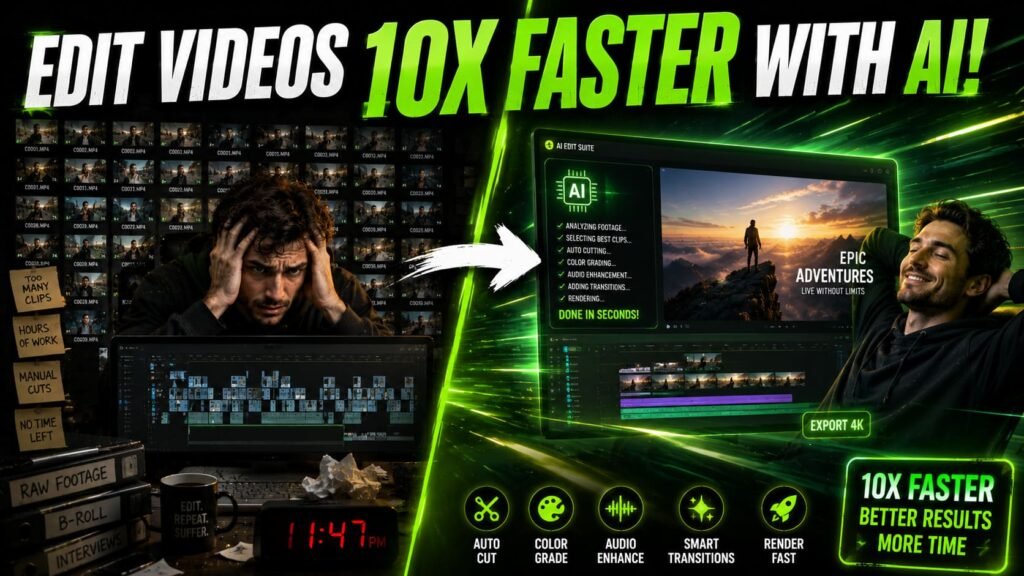
If you’re still doing everything manually in your timeline cutting silences by hand, adding captions word by word, color grading every single clip from scratch you’re leaving a lot of time on the table. AI tools for video editors have gotten genuinely good over the past two years. Not gimmick-good. Actually useful.
Whether you edit YouTube videos, client content, short-form reels, or documentary-style projects, there’s at least one tool in this list that will change how fast you work. Some of these I use myself. Others come highly recommended by editors I respect. Let’s get into it.
What makes an AI video tool worth your time
Not every AI tool is worth the subscription. Before I get into the list, here’s a quick filter I use: does it save at least 30 minutes per project? Does it produce results I don’t have to heavily fix? And does it fit into an existing workflow without requiring me to learn a whole new app from scratch?
The tools below all pass that test. Some are standalone apps. Some are plugins or features inside editors you already use. All of them are genuinely useful in 2026 and not just hype.
AI video editing at a glance
The best AI tools for video editors in 2026
1. Descript
Descript is probably the most editor-friendly AI tool on this list. It transcribes your footage and lets you edit the video by editing the text. Delete a word in the transcript and the corresponding footage disappears from the timeline. It also has an “Overdub” feature that can clone your voice to fix flubbed lines without a re-record. And its filler word removal (cutting every “um” and “uh” in one click) alone is worth the subscription for talking-head content.
Best for: podcasters, YouTube vloggers, interview editors
Pricing: Free plan available, paid from $12/month
2. Runway ML
Runway started as an AI video generation platform but it’s now a full creative suite. The tools editors use most are background removal without a green screen, motion tracking, and the video-to-video generation. You can also inpaint objects out of footage, change the time of day in a scene, and use text prompts to add visual effects. It’s not a replacement for traditional editing but it fills gaps that used to require expensive VFX work.
Best for: content creators, commercial editors, creative directors
Pricing: Free tier available, standard plan from $15/month
3. Topaz Video AI
If you deal with archival footage, low-res client assets, or anything that needs to go from 1080p to 4K without looking terrible, Topaz is the tool. It’s a desktop app that uses AI models trained specifically on video upscaling, denoising, and motion interpolation. A 30-second clip that looks grainy and pixelated can come out looking genuinely sharp. It’s slow to process on a mid-range machine but the results speak for themselves.
Best for: archival restoration, footage upscaling, denoising
Pricing: One-time purchase around $299 (often on sale)
4. CapCut
CapCut has gone from a TikTok editing app to a genuinely capable desktop tool. Its AI features include auto-captions in 20+ languages, background removal, AI voice, and auto-beat sync. For short-form content especially, it’s hard to beat the speed. The template library is massive and the AI caption styling is some of the best available without paying a separate captioning tool subscription.
Best for: short-form content creators, social media editors
Pricing: Free (with paid Pro plan for advanced features)
5. OpusClip
You’ve got a 45-minute interview and need to pull five clips for Instagram, YouTube Shorts, and LinkedIn. OpusClip does that automatically. It watches the full video, scores different moments based on engagement potential, and outputs short clips with captions already added. The AI is also aware of hook structure and tends to pick moments where someone says something surprising or quotable near the start of the clip.
Best for: repurposing long-form content into short clips
Pricing: Free plan (limited), paid from around $15/month
6. Gling
Gling is a single-purpose tool and it does its one thing really well: it removes silences and bad takes from talking-head and podcast footage. You drop in your video, it transcribes it, flags the dead air and the stumbled sentences, and you approve or reject each cut. Takes a 20-minute rough import down to a tight cut in minutes. No bells and whistles. Just a very clean, fast silence remover built for editors who work at volume.
Best for: podcast video, talking-head content, daily vlog editors
Pricing: From $10/month
7. Adobe Premiere Pro AI features
If you’re already in Premiere, you don’t need to leave it to access solid AI features. The auto-reframe tool resizes footage from 16:9 to 9:16 intelligently, keeping the subject centered. Speech-to-text captions are now surprisingly accurate. And the generative extend feature can add a few extra frames to a clip when your cut is just a little too tight. These aren’t standalone tools but they’re baked into software editors already pay for.
Best for: editors already on the Adobe Creative Cloud stack
Pricing: Included with Premiere Pro subscription
8. ElevenLabs
ElevenLabs started as a text-to-speech tool but it’s become something much more useful for editors: an AI dubbing and voice generation platform. If you’re working with international clients or producing content in multiple languages, you can now dub an entire video into another language while keeping the speaker’s original voice characteristics. For narration-heavy content, the voice quality is good enough to use for actual production audio in many cases.
Best for: multilingual content, narration, corporate video
Pricing: Free plan available, starter from $5/month
Which tool should you start with
Here’s an honest answer: it depends on your bottleneck. If you spend most of your time on rough cuts for talking-head content, start with Gling or Descript. If you create a lot of short-form social content and need captions fast, CapCut or OpusClip will immediately change your workflow. If you deal with quality issues in your footage, Topaz Video AI is worth the investment.
You don’t need all of them. Pick the one that solves the problem you hit every single project. Master that one first. Most of these have free tiers anyway, so the barrier to trying them is low.
Final thoughts on AI tools for video editors
The editing landscape in 2026 looks genuinely different from just two years ago. AI tools for video editors aren’t replacing the creative judgment you bring to a project. They’re handling the repetitive, time-consuming stuff so you can spend more time on what actually matters: the story, the pacing, the feel.
The editors who will stay competitive aren’t the ones who resist these tools. They’re the ones who figure out where the tools fit and build faster, leaner workflows around them. Start with one, see what it frees up, and go from there.