
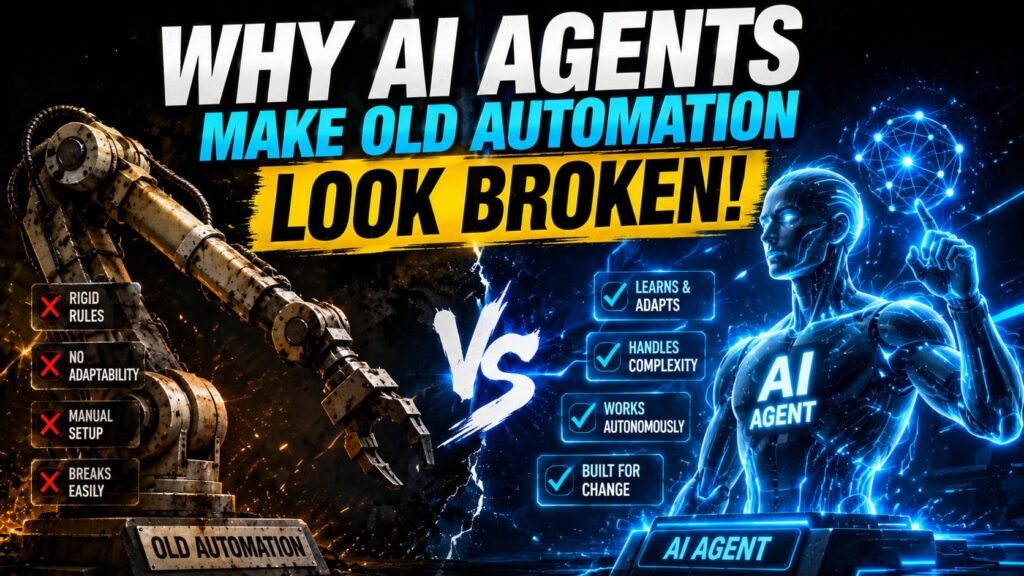
- Traditional automation runs fixed rules. AI agents reason, adjust mid-task, and handle cases the rules don’t cover.
- The architectural difference: a Zap executes Step 1, Step 2, Step 3 regardless of what Step 1 returned. An agent looks at what Step 1 returned and decides whether Step 2 is still the right move.
- Most tools marketed as “AI agents” are still rule-based automations with an AI text step bolted on. The distinction matters when you’re buying.
- Traditional automation is the right call for structured, predictable, high-volume tasks. Agents earn their place when workflows involve judgment, unstructured data, or exceptions that break rules.
- Gartner expects 40 percent of enterprise applications to embed AI agents by end of 2026, up from under 5 percent in 2025. The category is real and moving fast.
Every automation tool on the market is calling itself an AI agent now. Zapier has agents. Make has agents. Your CRM has agents. Your email client probably has an agent. The word has been applied to everything from a basic chatbot to a genuinely autonomous system that can plan and execute a multi-step task without being told exactly what to do at each step.
This is a problem if you’re trying to make a real decision about what to build or buy. “AI agent” means something specific. It also means something very vague, depending on who’s using it. Here’s the actual distinction, what it changes in practice, and an honest assessment of when it matters and when it doesn’t.
What traditional automation actually is
Traditional automation, whether you call it rule-based automation, workflow automation, or RPA (Robotic Process Automation), runs on a fixed logic: if this happens, do that. The trigger fires, the steps execute in sequence, the workflow ends. If the input matches the rules, it works. If it doesn’t, it either fails or produces wrong output.
The strength here is predictability. A traditional automation that handles invoice processing will handle the ten-thousandth invoice exactly the same way it handled the first. The output is deterministic. This is why traditional automation has been the default for payroll, data entry, standard form processing, and anything else where the inputs are structured and the process doesn’t change.
The weakness shows up the moment you hit an edge case. A vendor sends an invoice in a slightly different format. A customer support request is about two things at once, not one. A lead enrichment workflow gets a record with missing fields. Traditional automation either fails on these, routes them to a human, or handles them incorrectly because the rule wasn’t written to cover that variation. Maintaining the ruleset as exceptions accumulate is a cost that rarely shows up in the initial ROI calculation, but ends up being significant.
Rule-based automations don’t stay built. Every time a connected app changes its API, a form changes a field name, or a process gets a new exception added, someone has to update the workflow. Teams with 50+ Zaps or automations often find a meaningful fraction are broken or producing wrong output at any given time, because maintaining them doesn’t get prioritized the same way building them did.
What an AI agent actually is
An AI agent combines a language model with tool access and, usually, some form of memory. The key difference from a standard LLM prompt is that an agent can take actions, observe results, and decide what to do next based on what it found, rather than just generating text and stopping.
Here’s the concrete version: a traditional Zapier workflow that handles a customer support ticket follows the same path every time. Categorize, route, send acknowledgment. An AI agent handling the same ticket reads the full message, checks the customer’s account history, looks up relevant policies, drafts a response tailored to the specific situation, and if it realizes mid-process that the issue is more complex than it initially assessed, it can change what it does next. The agent isn’t executing a fixed plan. It’s pursuing a goal, and adjusting its approach based on what it learns along the way.
This is what makes agents useful for the “long tail” of cases that fall outside any fixed ruleset. A rules-based customer support workflow can handle the 70 percent of tickets that follow predictable patterns. An agent can handle many of the remaining 30 percent that don’t, because it’s reasoning about the situation rather than pattern-matching against a predetermined list of conditions.
How they handle the same task differently
| Step | Traditional automation | AI agent |
|---|---|---|
| Receive input | Match against predefined trigger conditions | Read and understand what the input is asking |
| Decide what to do | Execute pre-set steps in fixed order | Form a plan based on the goal and available tools |
| Mid-task adjustment | Not possible, follows the script | Observes results and adjusts approach if needed |
| Exception handling | Fails or routes to human | Reasons through the exception, often resolves it |
| Output predictability | Fully deterministic, same input = same output | Variable, context-dependent |
What “AI agents” in most tools actually means
Here’s the honest part: most tools that call their features “AI agents” are not actually implementing the architecture described above. What they usually have is a workflow tool with an AI text generation step added at one or more points. The workflow still runs on fixed rules. The AI step generates text (a draft reply, a summary, a classification label) and passes it to the next step. That’s useful, but it’s not an agent.
A genuine AI agent needs three things: the ability to take actions in external systems (not just generate text), some form of memory or context that persists across steps, and the ability to observe results and change course. Zapier’s “AI agents” are closer to the real thing than a basic LLM step, but they still run in a more constrained environment than, say, an n8n workflow built with native LangChain agent nodes and persistent memory. The gap between the marketing and the architecture is real and matters when you’re deciding what to build.
When evaluating any tool’s “agent” features, ask three questions: Can it take actions beyond generating text? Does it maintain memory across steps or runs? Can it observe the result of one action and decide what to do next based on that result? If the answer to all three is yes, you’re probably looking at something that genuinely behaves like an agent. If the answer to one or more is no, you’re looking at automation with AI generation baked in, which is still valuable, just different.
When to use which
Traditional automation is the right choice when your process is stable, your inputs are structured, and the main value is consistency and speed. Invoice processing where formats are standardized. Lead routing based on clear criteria. Notification workflows that trigger on specific events. Anything where the outcome being deterministic is a feature rather than a limitation. These are also where the economics of automation are most straightforward: you know what it costs, you know what it does, and you can verify it’s working correctly.
AI agents earn their place when inputs are unstructured or variable, when judgment is required to handle exceptions, or when the “right” action depends on context that can’t be fully pre-specified. Customer support where each ticket is different. Research workflows where the agent needs to gather information from multiple sources and synthesize it. Drafting responses that need to reflect the specific history and context of a relationship, not just a template. Situations where you’d otherwise need a human reading each input and making a call.
The mistake is treating these as either-or. Most real workflows benefit from both. Traditional automation handles the structured, high-volume, predictable portion. Agents handle the exceptions and the judgment-heavy pieces. A customer support setup might use workflow automation to handle 60 percent of tickets with deterministic rules, and an AI agent to handle the remaining 40 percent that need actual reasoning. The full breakdown of which workflows fit which automation approach covers ten specific use cases with this kind of technology selection built in.
Which approach fits your workflow?
| If your workflow… | Use traditional automation | Use an AI agent |
|---|---|---|
| Has structured, predictable inputs | Yes | Overkill |
| Involves unstructured text or documents | Struggles | Yes |
| Needs to handle common exceptions | Fails or routes to human | Yes |
| Requires fully deterministic output | Yes | Not reliable |
| Runs at very high volume | Yes | Cost-heavy at scale |
| Involves judgment calls or synthesis | Can’t handle it | Yes |
What changes with agents on the tools you already use
If you’re already running automations on Zapier, Make, or n8n, the agent layer changes what you can do rather than replacing what you have. Zapier Agents add a goal-directed layer on top of Zaps, meaning you can describe an outcome rather than configuring every step. Make’s AI Agents work similarly within its scenario builder. n8n’s AI agent implementation through LangChain nodes is the most technically capable of the three, supporting real multi-step agent loops with persistent memory and tool use.
The comparison between these platforms on agent capabilities specifically is a longer conversation, covered in the Zapier vs Make vs n8n guide. The short version: all three platforms now have something they call agents, but the architecture underneath varies significantly. If AI agent functionality is central to what you’re building, the platform choice matters more than it does for basic workflow automation.
Common misconceptions
“AI agents will replace all my existing automations.” The structured, predictable workflows running reliably today don’t need to be replaced. Agents are better suited to the work that existing automations can’t do well, not a wholesale replacement for what’s already working. The practical path is running both: traditional automation for the high-volume structured layer, agents for the judgment-heavy exceptions.
“If a tool has AI in it, it’s an agent.” An AI text generation step inside a Zap makes that Zap more capable. It doesn’t make it an agent. Most “AI-powered” automation tools are still running on fixed rules with an AI step generating content at one or more points. That’s useful. It’s not the same architecture as a system that reasons about what to do next.
“Agents are only for large companies with engineering teams.” The no-code platforms now include agent-like features that don’t require coding. Zapier Agents, Lindy.ai, and Gumloop all target non-technical users specifically. The setup is more involved than a standard Zap, but it’s not beyond a reasonably technical marketer or operator. The bar has come down significantly in the past 18 months.
“Agents are unreliable because AI makes things up.” Agents that are given access to your actual data, policies, and systems, rather than relying only on LLM training knowledge, are substantially more reliable than a general-purpose AI chat. The unreliability concern is real for agents built without grounding in real data. It’s much less relevant for agents built with access to your specific documents, systems, and history.
Where to start if you want to try this
The best starting point isn’t building an agent from scratch. It’s finding one workflow where traditional automation keeps failing on exceptions and a human is regularly stepping in to handle the cases automation couldn’t. That handoff point is usually where an agent adds the most immediate value, because the comparison isn’t “agent vs nothing,” it’s “agent vs person spending time on this every week.”
Start with the exception, not the rule. Build a small agent to handle that specific case, test it for a few weeks with a human reviewing outputs, and tighten it from there. The follow-up articles here cover specific agent tools and how to build agents for the most common use cases, including Zapier Agents, n8n agent workflows, and the no-code platforms that don’t require technical setup.