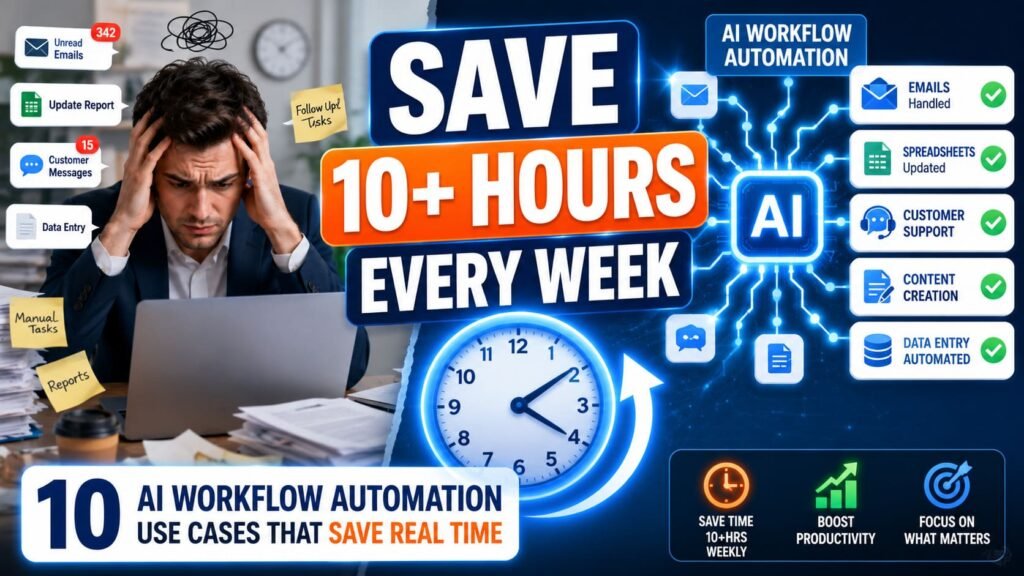
- The use cases that actually save time are repetitive, high-volume, and don’t require real judgment. Anything else is risky to automate fully.
- Email triage and drafting is the single most common starting point because almost everyone has too much email and the setup is genuinely simple.
- Content workflows (research, drafting, repurposing) save the most hours per week for small teams, but need a human review step to avoid generic output.
- Lead routing and CRM updates are where AI automation pays for itself fastest in sales-heavy businesses.
- The pattern that works across almost every use case: AI helps with coordination and drafting, humans keep the final decision.
“AI workflow automation” gets thrown around so often it’s started to mean nothing. Every SaaS landing page promises it. Every LinkedIn post claims it changed someone’s life. But when you ask what people are actually automating, the answers are usually a lot more mundane than the marketing suggests, and that’s a good thing.
The use cases that work share a pattern: they’re repetitive, they happen often enough to matter, and they don’t require someone to make a judgment call. Drafting an email reply, summarizing a document, routing a lead to the right person. None of that is glamorous. All of it adds up to hours back every week.
Here are 10 use cases people are actually running right now, organized by function, with the tools and setup behind each one.
Email and communication
1. Drafting email responses. This is the most common AI automation workflow, and for good reason. The setup connects your inbox (Gmail or Outlook) to an LLM through Zapier, Make, or n8n. When an email arrives, the AI reads it, drafts a response in your voice based on a prompt you’ve written, and either sends it or saves it as a draft for review. Most people start with drafts only. Once you trust the output for routine messages, full auto-send for specific senders (like recurring vendor questions) becomes an option.
The honest caveat: this works best for messages with predictable structure. Customer asking about order status, vendor confirming a meeting time, a recurring question your team answers ten times a week. For anything emotionally sensitive or relationship-critical, draft-and-review is the right call, not auto-send.
2. Meeting follow-ups and notes. Connect a meeting transcription tool (Fireflies, Otter, or Zoom’s built-in transcription) to an automation that extracts action items, sends a summary to attendees, and creates tasks in your project management tool. The workflow runs automatically after every meeting ends. For teams running back-to-back calls, this alone can save 30 to 45 minutes a day that would otherwise go to writing recap emails nobody fully reads anyway.
If you’re new to this, start with email drafting or meeting summaries. Both are low-risk (a human reviews before anything goes out), high-frequency (you’ll notice the time savings within days), and simple to build in any of the major automation platforms.
Content and marketing
3. Content repurposing pipelines. One piece of long-form content (a blog post, a podcast transcript, a webinar recording) gets fed through an AI workflow that generates a LinkedIn post, a Twitter thread, an email newsletter blurb, and a short video script, all in the same automation run. The source content stays the same. The AI handles reformatting for each platform’s tone and length constraints.
For small content teams, this is where the time savings stack up the fastest. A single blog post that used to generate one piece of content can now seed a week’s worth of social posts. The output needs editing, every time, but editing five drafts is faster than writing five pieces from a blank page. If you’re running content production at any scale, the workflows in AI tools for marketers cover the platforms that handle this kind of repurposing well.
4. Social media monitoring and response drafting. An automation monitors brand mentions across social platforms, runs each mention through sentiment analysis, and drafts a response for positive, neutral, or negative mentions differently. Negative mentions get flagged and routed to a human immediately rather than getting an automated response. Positive mentions might get an automated thank-you. This keeps response times fast without putting AI in charge of anything reputation-sensitive.
Sales and lead management
5. Lead enrichment and routing. A new lead fills out a form. The automation enriches their data (company size, industry, role) using a tool like Clearbit or Apollo, scores the lead based on fit criteria, and routes it to the right salesperson or sequence based on that score. High-fit leads might trigger an immediate Slack alert to a rep. Low-fit leads go into a nurture sequence automatically.
What actually saves time here is speed, not the task itself. Leads that sit for hours before someone manually reviews and routes them lose conversion rate every hour they wait. An automated workflow does this in seconds, every time, without anyone needing to be at their desk.
6. Research agents for sales calls. Before a sales call, an automation pulls information about the prospect’s company from their CRM record, recent news, their LinkedIn activity, and any prior interactions, then compiles it into a brief sent to the rep an hour before the meeting. This used to be 15 to 20 minutes of manual research per call. Now it’s automatic, and it happens for every call, not just the ones a rep remembers to prep for.
Estimated time saved per week, per person
Based on typical usage patterns for small teams (5 to 20 people)
| Use case | Time saved/week | Setup difficulty |
|---|---|---|
| Email draft responses | 2 to 4 hours | Low |
| Meeting follow-ups | 2 to 3 hours | Low |
| Content repurposing | 3 to 6 hours | Medium |
| Lead enrichment and routing | 1 to 2 hours | Medium |
| Invoice and document processing | 3 to 5 hours | Medium to high |
Estimates vary significantly by team size, volume, and existing process maturity.
Operations and finance
7. Invoice and document processing. Incoming invoices, receipts, or contracts get processed through an AI workflow that extracts key fields (vendor, amount, due date, line items) using OCR and an LLM, then logs them into accounting software or a spreadsheet. For businesses processing dozens of invoices a week, this eliminates the most tedious part of bookkeeping: manual data entry from PDFs.
Standard invoice formats get parsed correctly almost every time now. Where it gets shaky is unusual formats, handwritten notes, or documents with poor scan quality. A review step for flagged exceptions (rather than full automation with zero checks) catches the edge cases without requiring manual review of everything.
8. Customer support ticket triage. Incoming support tickets get analyzed for topic, urgency, and sentiment, then routed to the right team or knowledge base article. Simple, common questions might get an AI-drafted response for agent approval. Complex or frustrated-customer tickets get flagged for priority human handling. This doesn’t replace support agents. It means agents spend their time on tickets that actually need a person, instead of sorting through a queue manually first.
9. Onboarding coordination. When a new hire or new client is added to a system, an automation triggers a sequence of steps across departments: account creation, welcome email, calendar invites for orientation meetings, document collection reminders, and task assignments to relevant team members. None of these steps individually is hard. The value is that nothing gets forgotten and nobody has to remember to manually trigger the next step in the chain.
Data and reporting
10. Automated reporting and alerts. Data from multiple sources (analytics, sales, support, finance) gets pulled into a single workflow that generates a summary report on a schedule, often with an AI-written narrative explaining what changed and why it might matter. Instead of someone manually compiling numbers into a weekly update, the report shows up in Slack or email automatically, with the AI flagging anything that looks unusual.
This one rarely gets mentioned because it doesn’t feel like “automation” in the dramatic sense. But for managers spending an hour every Monday pulling numbers from five dashboards into a deck, automating that pull and the first-draft narrative is real time back, every single week.
What makes a use case worth automating
Not every repetitive task is worth automating. The ones that pay off share three things: they happen often (daily or near-daily, not once a month), they follow a recognizable pattern (the inputs and outputs look similar each time even if the details vary), and the cost of an occasional mistake is low or easily caught.
Email drafting fits all three. Invoice processing mostly fits, with the caveat that you need a check for unusual formats. Lead routing fits well because even an imperfect routing decision is better than a delayed one. Where it gets risky is anything involving final decisions with real consequences: firing someone, approving a large contract, responding to an angry customer with legal implications. AI can prep the information for those decisions. It shouldn’t be making them.
The platform you build these workflows on matters less than people initially think, but it does matter once you’re running several of them. Zapier is the easiest starting point for any of the use cases above. Once you’re running 5 or more workflows with real complexity, the cost and capability differences between platforms become worth understanding. The Zapier vs Make vs n8n comparison breaks down which platform fits which type of workflow, including the AI-heavy ones like research agents and content pipelines.
Should you automate this workflow?
| Question | Good sign | Warning sign |
|---|---|---|
| How often does this happen? | Daily or near-daily | Once a month or less |
| Does it follow a pattern? | Same inputs, similar outputs | Every case is different |
| What happens if AI gets it wrong? | Easily caught, low cost | High cost, hard to undo |
| Does it require real judgment? | No, mostly mechanical | Yes, needs human discretion |
Three or more “good sign” answers usually mean the workflow is worth automating.
Common misconceptions
“AI automation means full hands-off operation.” Almost none of the workflows that actually work run with zero human involvement. The pattern is AI drafts, a person approves. Or AI flags exceptions, a person handles them. Full automation without any checkpoint is rare and usually reserved for low-stakes, high-confidence tasks like simple data entry.
“You need to automate everything at once to see results.” One workflow, done well, often saves more time than five workflows built badly. Pick the single task that eats the most time every week, automate that, use it for two weeks, then move to the next one. Trying to overhaul everything simultaneously usually means nothing gets finished.
“These workflows require a developer.” Most of the use cases above can be built in Zapier or Make without writing code. The research agent and multi-model orchestration examples lean more technical, but email drafting, meeting summaries, lead routing, and reporting are all achievable through visual no-code builders.
“Once it’s built, it’s done.” Workflows drift. The format of an email you’re parsing changes, a tool updates its API, a new edge case appears that the original prompt didn’t anticipate. Workflows that run unattended for months without anyone checking them tend to quietly produce worse output over time. A monthly check on your most important automations catches this before it becomes a problem.
Where to start
If none of this feels concrete yet, pick the task you complained about most recently. Not the biggest problem in your business. The annoying, repetitive thing that ate an hour of your day this week. Build one workflow for that. See how it goes for two weeks.
Most people who automate one thing well end up automating several more within a month. Once you’ve felt that time come back, going back to doing it manually feels worse than it used to.