
Multimodal AI sounds complicated, but it just means an AI that can work with different types of content at the same time. Text, images, audio, video, code. All processed together instead of treating each one as a separate task.
Google’s Gemini 3 takes this concept further than any previous model they’ve built. The improvements over earlier versions make it one of the most capable multimodal systems available right now, and understanding what actually changed helps you use it better for real work.
Let me break down the seven key features that power Gemini 3 multimodal reasoning without getting lost in technical jargon.
Unified architecture that actually processes everything together
Most AI models that claim to be multimodal are actually running separate systems under the hood. One part handles text, another deals with images, maybe a third processes audio. Then they try to combine the results at the end.
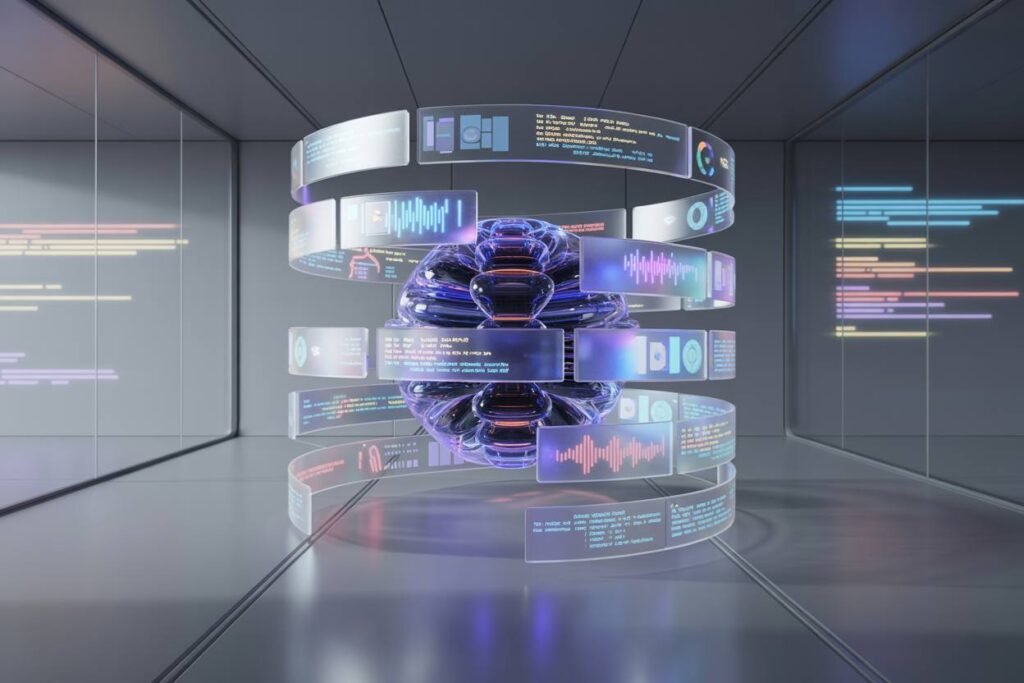
Gemini 3 uses a single transformer stack for everything. When you give it a video with audio and ask a question in text, all three types of information flow through the same neural network from the start. The visual frames inform how it interprets the audio. The audio adds context to what’s happening in the video. Your text question guides how it analyzes both.
This unified approach means the model genuinely understands relationships between different types of content instead of just matching patterns in each one separately. If you upload a diagram and ask it to explain the process shown, it’s not just reading text labels and describing shapes. It understands how the visual layout conveys meaning and connects that to concepts it knows from its training.
For practical work, this shows up when you need the AI to analyze complex materials. A presentation slide with graphs, images, and text gets processed as a complete unit. A tutorial video where someone’s speaking while demonstrating something on screen makes sense as a whole experience, not disconnected audio and visual tracks.
Massive context window for comprehensive analysis
Gemini 3 features a 1 million token context window, which means it can hold and analyze an enormous amount of information at once. To put that in perspective, the average novel is around 100,000 words or roughly 130,000 tokens. You could fit about seven full length books in Gemini 3’s context window.
Why does this matter for multimodal reasoning? Because video, images, and audio take up a lot more space than text. A single high resolution image might use thousands of tokens. A few minutes of video can consume a huge chunk of that context window.
Having this much space means you can give Gemini 3 substantial multimodal inputs without hitting limits. Upload multiple documents with embedded images. Share a longer video for analysis. Provide a presentation deck with dozens of slides. The model can process all of it together and maintain understanding across the entire corpus.
I’ve tested this with research tasks where I needed to analyze multiple sources that included charts, papers, and video explanations of the same concept. Gemini 3 could reference specifics from each source and draw connections between them, something that falls apart quickly when the AI runs out of context space and starts forgetting earlier materials.
Deep Think mode for complex problem solving
Deep Think mode is rolling out to safety testers first and will expand to AI Ultra subscribers soon. It represents a different approach to how the AI tackles difficult questions.
Standard AI responses generate text quickly, predicting the next most likely token based on patterns. Deep Think mode gives Gemini 3 more processing time to work through layered problems, similar to how a human might pause to think through a complex question before answering.
For Gemini 3 multimodal reasoning, this capability becomes powerful when you’re dealing with problems that require synthesizing information from multiple sources. Analyzing a video to explain the scientific concepts being demonstrated. Looking at a business presentation and identifying logical gaps in the argument. Reviewing code alongside documentation to find where implementation differs from specification.
Deep Think mode achieved strong results on benchmarks like Humanity’s Last Exam and ARCAGI2, which specifically test whether AI can handle problems that require genuine reasoning rather than pattern matching. When you activate this mode for multimodal tasks, you get more thorough analysis that considers how different pieces of information relate to each other.
Granular control over visual processing
Gemini 3 introduces parameters like media resolution that let you control how much detail the model processes from visual inputs. This might sound like a minor technical feature, but it has practical implications.
High resolution processing captures fine details in images and video. Text in screenshots becomes readable. Small elements in diagrams stay clear. Subtle visual cues don’t get lost. But processing everything at maximum resolution uses more tokens and takes longer.
Being able to adjust this setting means you can match the processing level to what you actually need. Analyzing a detailed architectural blueprint? Crank up the resolution. Reviewing a basic presentation with large text? Standard resolution works fine and processes faster.
This control helps you balance quality against speed and token usage. For video analysis where you need to catch subtle details across multiple frames, higher resolution makes sense. For tasks where the visual content is straightforward, you can process more material in the same context window by using lower resolution settings.
Agentic creativity for interactive outputs
Gemini 3 moves beyond just analyzing multimodal content to actually creating it. The model can generate interactive user interfaces from sketches, code functional applications that combine visual and logical elements, and produce dynamic layouts based on natural language descriptions.
This agentic creativity means you can describe what you want and get working prototypes that integrate multiple types of content. Ask it to create a data dashboard and it understands you need visualizations, interactive controls, and clear information architecture. Describe a simple game idea and it can generate the code, graphics logic, and user interface as a complete package.
The new Generative UI feature in the Gemini app uses these multimodal strengths to create custom visual layouts for responses. Instead of always getting the same text format, the AI can design an interface that fits the specific information it’s presenting. Financial data might appear as interactive charts. A recipe could show up with ingredient cards and step by step visual guides.
For professionals working on product design, prototyping, or content creation, this capability speeds up the process from idea to testable concept. You’re not just getting analysis or suggestions anymore. You’re getting functional outputs that combine multiple elements into something you can actually use or build from.
Strong benchmark performance on multimodal tasks
The technical improvements show up clearly in how Gemini 3 performs on standardized tests for multimodal understanding.
It scored 81% on MMMUPro, a benchmark focused on whether AI can correctly interpret and reason about images, diagrams, and visual information. That score represents substantial improvement over earlier models and indicates the system genuinely understands spatial relationships and visual concepts.
On Video MMMU, which tests AI video understanding across different types of content, Gemini 3 achieved 87.6%. This benchmark doesn’t just measure whether the model can describe what’s happening in a video. It tests whether the AI understands context, can follow narratives, and correctly interprets visual information that changes over time.
The 72.1% score on SimpleQA Verified is particularly important for professional use. This benchmark measures factual accuracy when synthesizing information from multiple sources. For multimodal reasoning, it indicates the model can reliably pull correct information from images, video, and text without making things up or getting confused when content types mix.
These aren’t just numbers for bragging rights. They translate directly to whether the AI will give you accurate, useful results when you’re relying on it for actual work that involves multiple types of content.
Improved spatial and visual reasoning
Beyond just recognizing what’s in an image or video, Gemini 3 understands spatial relationships and visual logic better than previous versions. It can follow how objects move through space in a video. It understands perspective and can reason about three dimensional relationships shown in two dimensional images. It recognizes visual patterns that convey meaning beyond literal content.
This spatial reasoning makes the model useful for fields where visual understanding matters. Architecture and design work where you need feedback on layouts. Scientific analysis where you’re looking at microscope images or satellite data. Educational content where diagrams and visual demonstrations carry crucial information.
I’ve found this particularly useful when working with data visualizations. Instead of just reading numbers off a chart, Gemini 3 can identify trends, spot anomalies, and explain what the visual presentation reveals about the underlying data. It understands that the way information is displayed visually often communicates things that aren’t explicit in the raw numbers.
Real world applications that matter
All these features combine to make Gemini 3 multimodal reasoning useful for practical tasks you might actually need to do.
Content creators can upload reference videos, images, and style guides, then get help developing new material that matches the established look and approach. Developers can share screenshots of bugs alongside code and logs to get more accurate debugging help. Researchers can analyze papers with complex figures and supplementary videos all in one conversation. Business professionals can review presentations that mix charts, text, and speaker notes to get comprehensive feedback.
The key is that you’re not limited to one type of input anymore. You can share information however it naturally exists, and the AI can work with all of it together. That’s what makes multimodal reasoning valuable beyond the technical novelty.