


This guide is for software developers who want to save time, reduce repetitive work, and build stronger applications with less frustration. Real world development is not always smooth. There are constant bugs to fix, deadlines to meet, documentation to maintain, and new technologies to learn. AI tools for software developers can genuinely reduce that workload. They help with coding, testing, documentation, learning, and project efficiency. The goal is not to replace your skills but to support your daily work so you can focus on real problem solving. Below you will discover up to six practical and different AI tools that can add real value to your development workflow.
The best AI tools for software developers
Cursor
What it does:
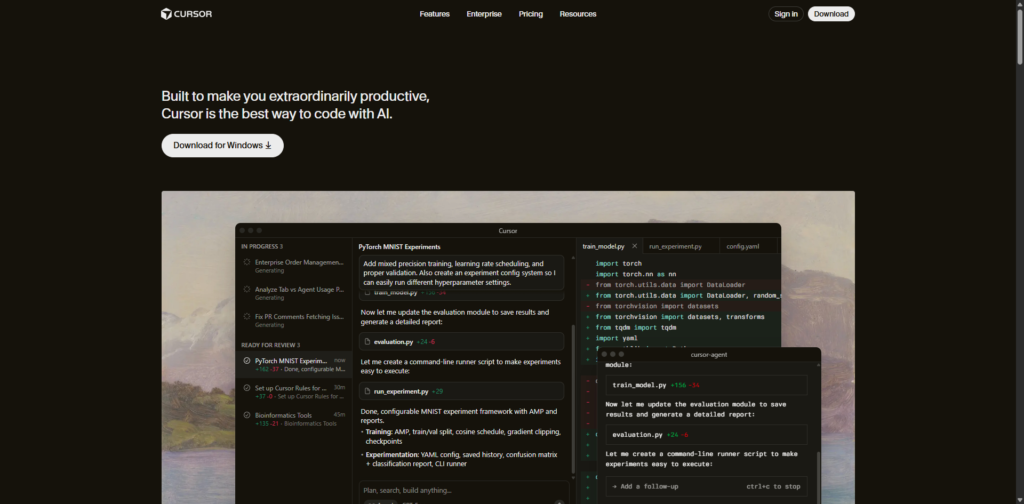
Cursor is an AI coding environment designed to help software developers build features faster. It understands your entire codebase and lets you chat directly with it. You can ask Cursor to generate functions, create components, refactor old code, build full files, and even understand project structure. It feels like coding with a smart partner sitting right next to you.
Why it is useful for software developers:
Developers in the USA deal with big projects and complex logic. Cursor can read context which makes it powerful. Instead of copying small snippets into AI chat windows, you work directly in your editor. It can suggest better architectures, help build features faster, and reduce confusion when working with large repositories. It especially helps teams and startup developers who need speed without losing quality.
Key Features:
• Understands full projects instead of just small snippets
• Helps generate features and clean code faster
• Built for real coding work and not only text answers
JetBrains AI Assistant
What it does:
JetBrains AI Assistant integrates artificial intelligence inside JetBrains IDEs like IntelliJ, PyCharm, WebStorm, Rider, and others. It helps software developers generate code, explain complex sections, suggest improvements, and automate documentation. It works naturally in the same environment many professional developers already use.
Why it is useful for software developers:
A lot of enterprise teams and serious developers in the United States rely on JetBrains products. Having AI support built directly inside the IDE removes friction. It makes debugging easier, helps understand unknown codebases, and speeds up development tasks. It is also useful for learning new frameworks without getting stuck searching for guidance every minute.
Key Features:
• Deep integration with JetBrains IDEs
• Explains code and helps with debugging
• Generates documentation and improves readability
GitLab Duo
What it does:
GitLab Duo is an AI assistant designed for the full software development lifecycle. It helps with coding, reviewing merge requests, scanning for security issues, and supporting DevOps workflows. It is not just for writing code. It supports collaboration and application lifecycle management.
Why it is useful for software developers:
Many US based teams use GitLab to manage projects. Duo fits perfectly in that workflow. It helps automate reviews, improves code quality, and keeps development organized. Developers do not just need help writing code. They also need help maintaining it. GitLab Duo helps ensure better consistency and faster delivery.
Key Features:
• AI support inside GitLab workflow
• Helps with reviews and quality control
• Supports code, security, and DevOps tasks
Snyk Code with DeepCode AI
What it does:
Snyk Code powered by DeepCode AI focuses on secure coding and vulnerability detection. It scans code in real time and identifies potential security risks. It also gives explanations so developers understand why something is risky and how to fix it properly.
Why it is useful for software developers:
Security is a serious concern for developers in the USA, especially when building apps for clients, businesses, or large platforms. Many teams discover problems too late. Snyk Code helps catch issues early inside the development phase. That means safer applications, stronger trust, and fewer headaches in production.
Key Features:
• Real time vulnerability detection
• Clear explanations and fixes for security issues
• Supports many languages and frameworks
Phind
What it does:
Phind is an AI search assistant designed specifically for developers. Instead of browsing endless documentation pages, blog posts, or forum threads, Phind gives direct development focused answers. It understands technical questions, frameworks, and complex coding topics.

Why it is useful for software developers:
Developers in the United States waste hours every week searching the internet for answers. Phind saves that time. It gives accurate responses faster. It can generate examples, explain errors, and help developers move forward without breaking their workflow. It is especially helpful when learning new stacks or solving tough bugs.
Key Features:
• Developer focused AI search engine
• Clear coding explanations and examples
• Fast and highly relevant technical responses
Amazon Q Developer
What it does:
Amazon Q Developer is a modern AI assistant created for professional development teams. It helps write code, answer technical questions, troubleshoot issues, and support software lifecycles. It works across environments, integrates with tools, and understands enterprise development needs.
Why it is useful for software developers:
Many USA based companies rely on cloud infrastructure and enterprise level development. Amazon Q Developer fits that environment. It improves productivity, supports team collaboration, and helps developers deliver features faster. It also brings structure to teams that want reliable AI support in a professional setting.
Key Features:
• Designed for professional development teams
• Helps across coding, troubleshooting, and lifecycle
• Integrates well with enterprise environments
AI tools for software developers are becoming essential in modern development work. They help reduce repetitive tasks, improve code quality, speed up production, and give clarity when projects get complicated. Whether you build enterprise software, SaaS products, freelance applications, or learning projects, there is real value in adding AI support to your daily workflow.
Start by testing one or two tools and see how they fit your style. The learning curve is often shorter than expected, and the productivity gains compound quickly. Developers in 2026 who learn to work with AI will move faster, stay competitive, and feel more confident in their results. For those looking to maximize their development speed with focused, productivity-driven assistance, exploring specialized AI coding tools can take your efficiency to the next level.