
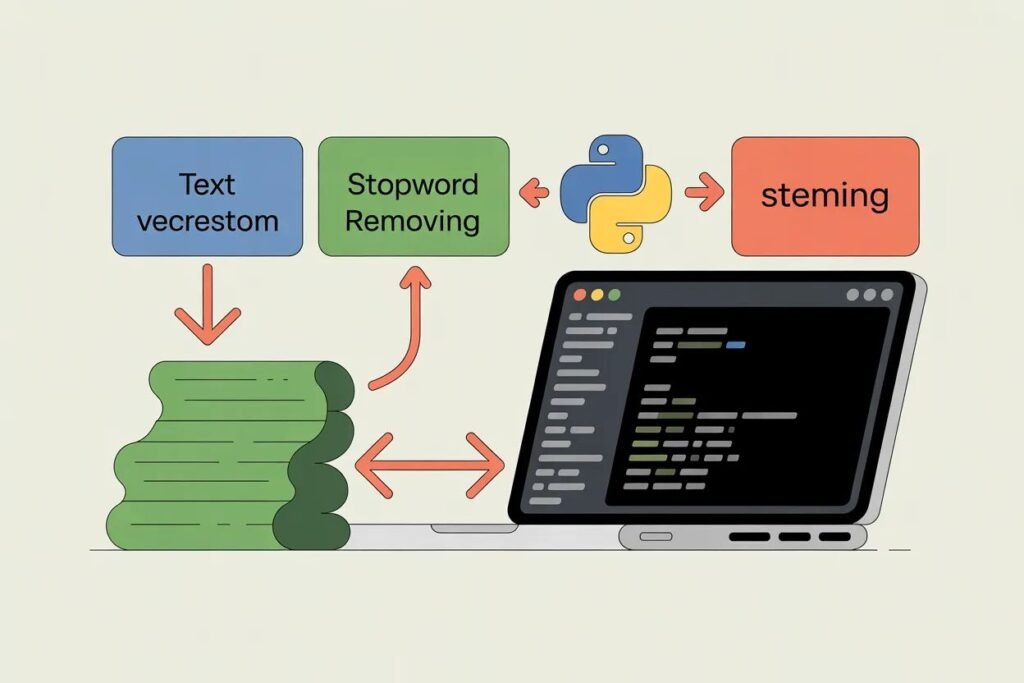

Text data is messy. Emails contain typos, capitalization varies randomly, punctuation appears inconsistently, and words take different forms. Machine learning models can’t directly process this chaos. They need clean, standardized, numerical representations of text.
Mastering text preprocessing techniques transforms raw text into features that machine learning models can actually learn from. This is the critical step between having text data and training effective models. Skip or mess up preprocessing and your model will struggle no matter how sophisticated the algorithm.
Text preprocessing for machine learning involves a series of transformations that clean, standardize, and convert text into numerical features. Each step removes noise, reduces variation, and captures meaning in a form algorithms can process. Let me show you the essential techniques and when to use each one.
Why text preprocessing matters
Raw text has too much irrelevant variation. The words “Running”, “running”, and “RUNNING” mean the same thing but look different to a computer. The words “run”, “runs”, and “running” share the same root but appear as separate features without preprocessing.
Preprocessing reduces this variation so your model focuses on meaningful differences rather than formatting quirks. It standardizes text so “I love this product” and “I LOVE THIS PRODUCT” are treated identically. It removes noise like special characters and HTML tags that don’t carry meaning.
The goal is creating clean, consistent features that capture text meaning while removing distracting variation. Good preprocessing often matters more than choosing a fancier algorithm. A simple model on well-preprocessed text beats a complex model on raw messy text.
Different NLP tasks need different preprocessing. Sentiment analysis might remove all punctuation. Entity extraction keeps capitalization because it helps identify proper nouns. Spam detection might count exclamation marks as a feature. Tailor your preprocessing to your specific problem.
Lowercasing and basic cleaning
Converting all text to lowercase is usually the first preprocessing step. This treats “Hello”, “hello”, and “HELLO” identically. For most tasks, case doesn’t carry enough meaning to justify the added complexity.
import re
import string

# Sample text
text = "Hello! This is a SAMPLE text with Numbers 123 and special chars #@$."

# Lowercase
text_lower = text.lower()
print(f"Lowercased: {text_lower}")
Exceptions exist where case matters. Named entity recognition benefits from keeping capitalization because proper nouns start with capital letters. Acronyms like “US” versus “us” mean different things. Consider your task before blindly lowercasing everything.
Removing punctuation eliminates symbols that usually don’t carry semantic meaning. Commas, periods, and quotes add structure for human readers but confuse models by creating separate tokens.
# Remove punctuation
text_no_punct = text_lower.translate(str.maketrans('', '', string.punctuation))
print(f"No punctuation: {text_no_punct}")
Sometimes punctuation does matter. Emoticons and emojis in social media text carry strong sentiment signals. Question marks and exclamation points can indicate tone. Decide based on your data and task whether to remove or keep punctuation.
Removing numbers works for some tasks. If you’re classifying document topics, the specific numbers probably don’t matter. But for sentiment analysis of product reviews, ratings like “5 stars” or “10 out of 10” carry important information.
# Remove numbers
text_no_numbers = re.sub(r'\d+', '', text_no_punct)
print(f"No numbers: {text_no_numbers}")
Removing extra whitespace cleans up spacing inconsistencies. Multiple spaces, tabs, and newlines get replaced with single spaces.
# Remove extra whitespace
text_clean = ' '.join(text_no_numbers.split())
print(f"Clean text: {text_clean}")
Tokenization breaks text into words
Tokenization splits text into individual tokens, usually words. This converts a string into a list of words that you can process individually.
# Simple tokenization by splitting on spaces
tokens = text_clean.split()
print(f"Tokens: {tokens}")

# Better tokenization with NLTK
import nltk
nltk.download('punkt', quiet=True)

text_sample = "Don't split contractions badly. Handle it well!"
tokens_nltk = nltk.word_tokenize(text_sample.lower())
print(f"NLTK tokens: {tokens_nltk}")
Simple splitting on spaces works for basic cases but fails on contractions, hyphenated words, and punctuation. NLTK’s word_tokenize handles these cases better by using linguistic rules.
Different languages need different tokenization strategies. English spaces separate words nicely. Chinese and Japanese don’t use spaces between words and need specialized tokenizers. Use language-specific tools when working with non-English text.
Stop word removal eliminates common words
Stop words are extremely common words like “the”, “is”, “at”, and “on” that appear in almost every document. They carry little meaning for many tasks and removing them reduces feature space.
from nltk.corpus import stopwords
nltk.download('stopwords', quiet=True)

stop_words = set(stopwords.words('english'))

# Sample tokens
tokens = ['this', 'is', 'a', 'sample', 'text', 'with', 'stop', 'words']

# Remove stop words
filtered_tokens = [word for word in tokens if word not in stop_words]
print(f"Original: {tokens}")
print(f"Filtered: {filtered_tokens}")
print(f"Removed: {len(tokens) - len(filtered_tokens)} stop words")
Stop word removal reduces dimensionality and focuses on content words that carry more meaning. For topic classification, removing stop words helps the model focus on distinguishing terms.
Don’t remove stop words blindly. For some tasks they matter. Sentiment analysis benefits from words like “not” which completely flip meaning. “This is good” and “This is not good” have opposite sentiments, but removing “not” makes them identical.
Stemming and lemmatization reduce words to roots
Stemming chops off word endings to get stems. “Running”, “runs”, and “ran” all reduce to “run”. This treats different forms of the same word as identical.
from nltk.stem import PorterStemmer

stemmer = PorterStemmer()

words = ['running', 'runs', 'ran', 'runner', 'easily', 'fairly']
stems = [stemmer.stem(word) for word in words]

for word, stem in zip(words, stems):
    print(f"{word} -> {stem}")
Stemming is fast but crude. It sometimes produces non-words or incorrectly groups unrelated words. “Universal” and “university” both stem to “univers” even though they’re unrelated concepts.
Lemmatization is smarter. It uses vocabulary and morphological analysis to return the dictionary form of words. “Running” becomes “run”, “better” becomes “good”, “was” becomes “be”.
from nltk.stem import WordNetLemmatizer
nltk.download('wordnet', quiet=True)

lemmatizer = WordNetLemmatizer()

words = ['running', 'runs', 'ran', 'better', 'was', 'feet']
lemmas = [lemmatizer.lemmatize(word, pos='v') for word in words]

for word, lemma in zip(words, lemmas):
    print(f"{word} -> {lemma}")
Lemmatization produces real words and handles irregular forms better. It’s slower than stemming but more accurate. Use lemmatization when you have time and accuracy matters. Use stemming for quick preprocessing of large text volumes.
Converting text to numerical features
Machine learning algorithms need numbers, not words. Several methods convert preprocessed text into numerical features.
Bag of words creates a vector where each position represents a word from the vocabulary. The value at each position is how many times that word appears in the document. This loses word order but captures content.
from sklearn.feature_extraction.text import CountVectorizer

documents = [
    'this is the first document',
    'this document is the second document',
    'and this is the third one'
]

vectorizer = CountVectorizer()
bow_matrix = vectorizer.fit_transform(documents)

print(f"Vocabulary: {vectorizer.get_feature_names_out()}")
print(f"Matrix shape: {bow_matrix.shape}")
print(f"First document vector:\n{bow_matrix[0].toarray()}")
TF-IDF or Term Frequency Inverse Document Frequency improves on bag of words. It weights words by importance rather than just counting them. Common words that appear in every document get low weights. Distinctive words that appear in few documents get high weights.
from sklearn.feature_extraction.text import TfidfVectorizer

tfidf_vectorizer = TfidfVectorizer()
tfidf_matrix = tfidf_vectorizer.fit_transform(documents)

print(f"TF-IDF shape: {tfidf_matrix.shape}")
print(f"First document TF-IDF:\n{tfidf_matrix[0].toarray()}")
TF-IDF typically works better than simple bag of words because it captures word importance. Use it as your default unless you have specific reasons to prefer other approaches.
Word embeddings like Word2Vec or GloVe represent words as dense vectors where similar words have similar vectors. “King” and “queen” have similar embeddings because they’re used in similar contexts. These capture semantic meaning better than bag of words or TF-IDF.
Modern transformer models like BERT create contextual embeddings where the same word gets different representations based on context. “Bank” in “river bank” versus “bank account” gets different embeddings.
Putting preprocessing steps together
Real preprocessing pipelines combine multiple steps in sequence. The order matters because each step affects the next.
def preprocess_text(text):
    # Lowercase
    text = text.lower()

    # Remove special characters and numbers
    text = re.sub(r'[^a-zA-Z\s]', '', text)

    # Remove extra whitespace
    text = ' '.join(text.split())

    # Tokenize
    tokens = nltk.word_tokenize(text)

    # Remove stop words
    stop_words = set(stopwords.words('english'))
    tokens = [word for word in tokens if word not in stop_words]

    # Lemmatize
    lemmatizer = WordNetLemmatizer()
    tokens = [lemmatizer.lemmatize(word, pos='v') for word in tokens]

    # Join back into string
    return ' '.join(tokens)

# Test preprocessing
sample = "I'm LOVING this product!!! It's amazing and works GREAT. 10/10 would recommend."
processed = preprocess_text(sample)
print(f"Original: {sample}")
print(f"Processed: {processed}")
This pipeline demonstrates a typical sequence. Start with lowercasing and cleaning. Tokenize into words. Remove stop words. Apply lemmatization. The result is clean, standardized text ready for feature extraction.
Adjust the pipeline for your specific task. Sentiment analysis might keep punctuation and stop words. Topic classification might remove them aggressively. Experiment to find what works best.
Text preprocessing for machine learning transforms messy raw text into clean features that models can learn from effectively. Master these techniques and your text classification, sentiment analysis, and other NLP projects will perform dramatically better. The time invested in proper preprocessing pays off in model performance.
Ready to build a complete text classification project from scratch? Check out our tutorial on building a spam classifier from scratch to see how all these preprocessing techniques come together in a real working system.