
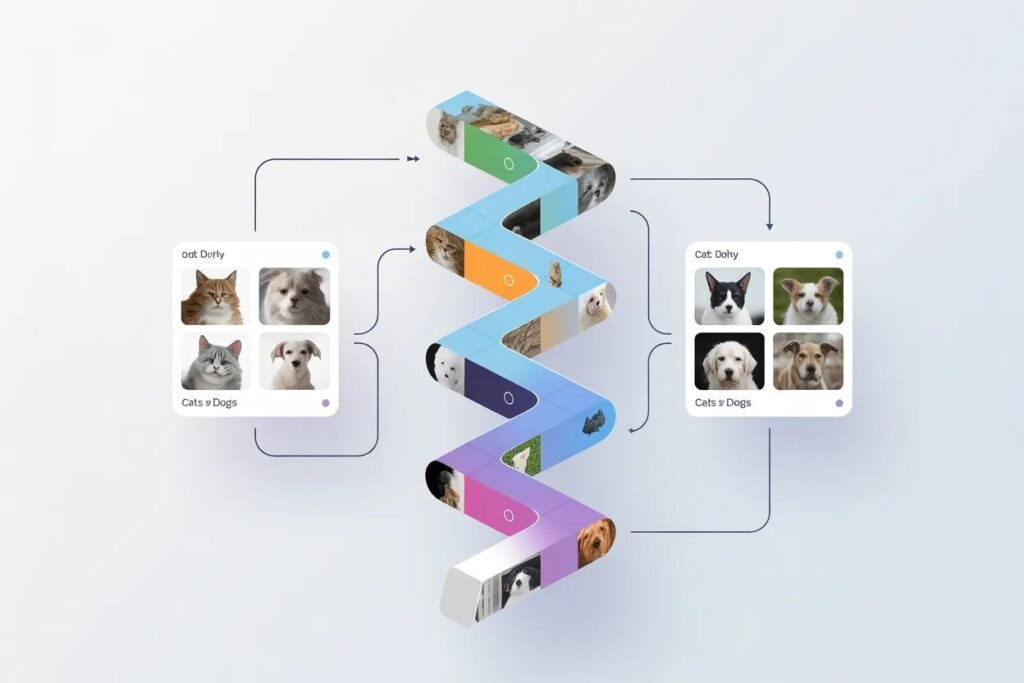

You built a spam classifier that handles text data. Now let’s tackle something completely different: teaching a computer to recognize images. Can you build a system that looks at a photo and tells whether it shows a cat or a dog?
Building computer vision projects with deep learning demonstrates how neural networks excel at visual pattern recognition. Image classification is one of the most impressive applications of deep learning, powering everything from medical diagnosis to self-driving cars. Cats vs dogs is the perfect introduction because it’s challenging enough to require real techniques but simple enough to see results quickly.
Image classification with deep learning requires convolutional neural networks or CNNs, architectures specifically designed for visual data. Unlike the fully connected networks you’ve used before, CNNs exploit the spatial structure of images to learn hierarchical features. Let me show you how to build one from scratch and then supercharge it with transfer learning.
Understanding convolutional neural networks
Regular neural networks treat images as flat vectors of pixels, losing all spatial information. A 100 by 100 pixel RGB image becomes a vector of 30,000 numbers with no indication that certain pixels are near each other.
CNNs preserve spatial structure through convolutional layers. These layers apply small filters that slide across the image, detecting local patterns like edges, textures, and shapes. Early layers detect simple features. Deeper layers combine these into complex patterns.
A convolutional layer has three key operations. Convolution applies filters to extract features. Pooling reduces spatial dimensions while keeping important information. Activation functions introduce non-linearity just like in regular neural networks.
The architecture typically stacks multiple convolutional blocks, each containing convolution, activation, and pooling. After several blocks, flatten the spatial features and add dense layers for final classification. The output layer has one neuron per class with softmax activation.
Preparing the cats vs dogs dataset
The Kaggle cats vs dogs dataset contains 25,000 images of cats and dogs. For this tutorial, we’ll use a smaller subset to keep training time reasonable. You can download it or use TensorFlow’s built-in datasets.
import tensorflow as tf
from tensorflow import keras
from tensorflow.keras import layers
import numpy as np
import matplotlib.pyplot as plt

# Download and prepare data
dataset_url = "https://storage.googleapis.com/mledu-datasets/cats_and_dogs_filtered.zip"
path_to_zip = keras.utils.get_file('cats_and_dogs.zip', origin=dataset_url, extract=True)
PATH = path_to_zip.replace('cats_and_dogs.zip', 'cats_and_dogs_filtered')

train_dir = PATH + '/train'
validation_dir = PATH + '/validation'

# Count images
import os
print(f"Training cats: {len(os.listdir(train_dir + '/cats'))}")
print(f"Training dogs: {len(os.listdir(train_dir + '/dogs'))}")
print(f"Validation cats: {len(os.listdir(validation_dir + '/cats'))}")
print(f"Validation dogs: {len(os.listdir(validation_dir + '/dogs'))}")
Image preprocessing for deep learning includes resizing all images to the same dimensions, normalizing pixel values to 0 to 1 range, and optionally augmenting data. Keras provides ImageDataGenerator to handle this automatically.
Data augmentation artificially increases dataset size by applying random transformations. Rotate images slightly, flip them horizontally, zoom in or out, shift them around. The model sees these variations as different examples, improving generalization.
from tensorflow.keras.preprocessing.image import ImageDataGenerator

# Training data generator with augmentation
train_datagen = ImageDataGenerator(
    rescale=1./255,
    rotation_range=20,
    width_shift_range=0.2,
    height_shift_range=0.2,
    horizontal_flip=True,
    zoom_range=0.2
)

# Validation data generator (no augmentation)
validation_datagen = ImageDataGenerator(rescale=1./255)

# Load images
train_generator = train_datagen.flow_from_directory(
    train_dir,
    target_size=(150, 150),
    batch_size=32,
    class_mode='binary'
)

validation_generator = validation_datagen.flow_from_directory(
    validation_dir,
    target_size=(150, 150),
    batch_size=32,
    class_mode='binary'
)

print(f"Training batches: {len(train_generator)}")
print(f"Validation batches: {len(validation_generator)}")
Target size of 150 by 150 balances model capacity with training speed. Larger images contain more detail but require more computation. Batch size of 32 is standard for this type of problem.
Building a CNN from scratch
Let’s create a simple CNN architecture with three convolutional blocks followed by dense layers for classification.
# Build CNN model
model = keras.Sequential([
    # First convolutional block
    layers.Conv2D(32, (3, 3), activation='relu', input_shape=(150, 150, 3)),
    layers.MaxPooling2D(2, 2),

    # Second convolutional block
    layers.Conv2D(64, (3, 3), activation='relu'),
    layers.MaxPooling2D(2, 2),

    # Third convolutional block
    layers.Conv2D(128, (3, 3), activation='relu'),
    layers.MaxPooling2D(2, 2),

    # Flatten and dense layers
    layers.Flatten(),
    layers.Dense(512, activation='relu'),
    layers.Dropout(0.5),
    layers.Dense(1, activation='sigmoid')
])

model.summary()
The first Conv2D layer has 32 filters of size 3 by 3. Each filter learns to detect a different pattern. MaxPooling2D reduces spatial dimensions by half, keeping the strongest activations.
Subsequent layers double the number of filters while spatial dimensions shrink. This creates a pyramid where you trade spatial resolution for feature depth. By the end, you have rich feature representations in a compact form.
Dropout before the final layer prevents overfitting. The output layer uses sigmoid activation for binary classification, outputting a probability between 0 and 1.
Training the custom CNN
Compile the model with binary crossentropy loss for binary classification. Use Adam optimizer for reliable training. Track accuracy to monitor progress.
# Compile model
model.compile(
    optimizer='adam',
    loss='binary_crossentropy',
    metrics=['accuracy']
)

# Train model
history = model.fit(
    train_generator,
    epochs=15,
    validation_data=validation_generator,
    verbose=1
)

# Plot training history
plt.figure(figsize=(12, 4))

plt.subplot(1, 2, 1)
plt.plot(history.history['accuracy'], label='Training')
plt.plot(history.history['val_accuracy'], label='Validation')
plt.title('Model Accuracy')
plt.xlabel('Epoch')
plt.ylabel('Accuracy')
plt.legend()

plt.subplot(1, 2, 2)
plt.plot(history.history['loss'], label='Training')
plt.plot(history.history['val_loss'], label='Validation')
plt.title('Model Loss')
plt.xlabel('Epoch')
plt.ylabel('Loss')
plt.legend()

plt.tight_layout()
plt.savefig('training_history.png')
Training takes several minutes depending on your hardware. Watch validation accuracy to see how well the model generalizes. If training accuracy is much higher than validation accuracy, you’re overfitting.
A custom CNN trained from scratch typically achieves 70 to 80 percent validation accuracy on cats vs dogs. That’s decent but we can do much better with transfer learning.
Using transfer learning for better results
Transfer learning leverages models pre-trained on massive datasets like ImageNet with 1.4 million images across 1,000 categories. These models learned powerful general features that transfer to new tasks.
Instead of training from scratch, start with a pre-trained model and adapt it to your specific problem. This works incredibly well when you have limited data because the pre-trained model already knows how to see.
# Load pre-trained MobileNetV2
base_model = keras.applications.MobileNetV2(
    input_shape=(150, 150, 3),
    include_top=False,
    weights='imagenet'
)

# Freeze base model
base_model.trainable = False

# Add custom classification head
model_transfer = keras.Sequential([
    base_model,
    layers.GlobalAveragePooling2D(),
    layers.Dense(128, activation='relu'),
    layers.Dropout(0.5),
    layers.Dense(1, activation='sigmoid')
])

print(f"Base model parameters: {base_model.count_params()}")
print(f"Total parameters: {model_transfer.count_params()}")
MobileNetV2 is lightweight and fast while maintaining good accuracy. It’s pre-trained on ImageNet so it already recognizes edges, textures, shapes, and object parts.
Freezing the base model prevents changing its pre-trained weights during initial training. You only train the classification head you added on top. This is called feature extraction.
Training with transfer learning
Training with transfer learning is much faster because you’re only updating a small fraction of parameters. The pre-trained base extracts features and your custom head learns to map those features to cat or dog predictions.
# Compile transfer learning model
model_transfer.compile(
    optimizer='adam',
    loss='binary_crossentropy',
    metrics=['accuracy']
)

# Train
history_transfer = model_transfer.fit(
    train_generator,
    epochs=10,
    validation_data=validation_generator
)

# Evaluate
val_loss, val_accuracy = model_transfer.evaluate(validation_generator)
print(f"\nValidation accuracy: {val_accuracy:.4f}")
Transfer learning typically achieves 90 to 95 percent validation accuracy on cats vs dogs, a massive improvement over training from scratch. You get better results with less data and faster training.
Fine tuning can push accuracy even higher. After initial training, unfreeze some layers of the base model and train with a very low learning rate. This adapts the pre-trained features to your specific images.
# Fine-tuning (optional)
base_model.trainable = True

# Freeze early layers, unfreeze later layers
for layer in base_model.layers[:100]:
    layer.trainable = False

# Recompile with lower learning rate
model_transfer.compile(
    optimizer=keras.optimizers.Adam(1e-5),
    loss='binary_crossentropy',
    metrics=['accuracy']
)

# Fine-tune
history_finetune = model_transfer.fit(
    train_generator,
    epochs=5,
    validation_data=validation_generator
)
Fine tuning adjusts high-level features while keeping low-level features fixed. Use a very low learning rate to avoid destroying the useful pre-trained weights.
Making predictions on new images
A trained model can classify any cat or dog image you give it. Load an image, preprocess it the same way as training data, and get predictions.
# Load and preprocess a single image
def predict_image(image_path):
    img = keras.preprocessing.image.load_img(
        image_path,
        target_size=(150, 150)
    )
    img_array = keras.preprocessing.image.img_to_array(img)
    img_array = np.expand_dims(img_array, axis=0)
    img_array /= 255.0

    prediction = model_transfer.predict(img_array)[0][0]

    if prediction > 0.5:
        print(f"Dog (confidence: {prediction:.2%})")
    else:
        print(f"Cat (confidence: {(1-prediction):.2%})")

    return prediction

# Test on new images
# prediction = predict_image('path/to/your/image.jpg')
The model outputs a probability. Values close to 0 indicate cat with high confidence. Values close to 1 indicate dog with high confidence. Values near 0.5 show uncertainty.
Scaling beyond binary classification
The same approach works for multi-class problems with more than two categories. Change the output layer to have one neuron per class with softmax activation. Use categorical crossentropy loss instead of binary crossentropy.
Pre-trained models work for diverse image classification tasks: identifying plant species, diagnosing medical conditions from scans, classifying products, detecting objects in scenes. The transfer learning approach remains the same.
Image classification with deep learning through this cats vs dogs tutorial taught you CNNs, data augmentation, training from scratch versus transfer learning, and practical deployment. Transfer learning with pre-trained models is the standard approach for computer vision because it works so well with limited data.
Ready to make your machine learning models accessible to others? Check out our guide on deploying your machine learning model as an API to learn how to serve predictions through REST endpoints and make your trained models usable by any application.