
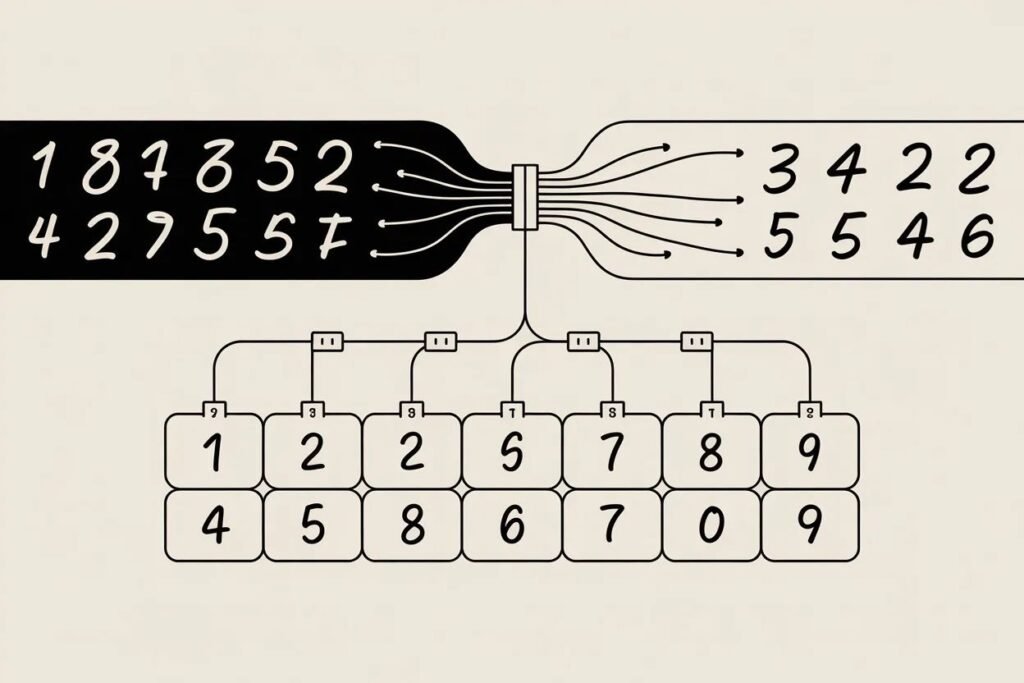

You’ve learned about neural network architecture, forward propagation, and backpropagation. Now it’s time to build something real. Theory is valuable, but nothing beats the experience of training an actual neural network and watching it learn to solve a problem.
Creating your first working neural network cements your understanding of deep learning concepts better than any tutorial. The MNIST dataset of handwritten digits is the perfect starting point. It’s challenging enough to be interesting but simple enough that you’ll see results quickly with basic architectures.
Building your first neural network using MNIST teaches you the complete workflow from loading data to making predictions. You’ll preprocess images, design a network architecture, train the model, and evaluate its performance. By the end, you’ll have a working digit classifier achieving over 95 percent accuracy.
Understanding the MNIST dataset
MNIST contains 70,000 images of handwritten digits from 0 to 9. Each image is 28 by 28 pixels in grayscale. The dataset splits into 60,000 training images and 10,000 test images. This dataset has become the hello world of deep learning because it’s large enough to train meaningful models but small enough to work on regular computers.
The images come from real handwritten digits collected from high school students and Census Bureau employees. They’re centered and size normalized, making them easier to work with than raw handwritten text. Despite this preprocessing, there’s significant variation in writing styles.
Your goal is building a neural network that looks at these 28 by 28 pixel images and correctly identifies which digit from 0 to 9 each image represents. This is a multi-class classification problem with 10 possible outputs.
import numpy as np
import matplotlib.pyplot as plt
from tensorflow import keras
from tensorflow.keras import layers

# Load MNIST dataset
(X_train, y_train), (X_test, y_test) = keras.datasets.mnist.load_data()

# Explore the data
print(f"Training set: {X_train.shape}")
print(f"Test set: {X_test.shape}")
print(f"Image shape: {X_train[0].shape}")
print(f"Pixel value range: {X_train.min()} to {X_train.max()}")

# Visualize some examples
fig, axes = plt.subplots(2, 5, figsize=(12, 5))
for i, ax in enumerate(axes.flat):
    ax.imshow(X_train[i], cmap='gray')
    ax.set_title(f'Label: {y_train[i]}')
    ax.axis('off')
plt.tight_layout()
plt.savefig('mnist_samples.png')
print("Sample images saved")
This code loads the dataset and shows you what you’re working with. The images are stored as arrays of integers from 0 to 255 representing pixel brightness. Labels are integers from 0 to 9 indicating which digit the image shows.
Preprocessing the data
Raw pixel values aren’t ideal for neural networks. Normalizing them to a 0 to 1 range helps training converge faster and more reliably. Divide each pixel value by 255 to scale them.
The images are currently 28 by 28 arrays, but fully connected neural networks expect flat vectors. Reshape each image from 28 by 28 into a single vector of 784 values. Each of the 784 input neurons will receive one pixel value.
Labels need conversion too. Instead of a single integer from 0 to 9, use one-hot encoding. Convert each label into a vector of 10 values where the correct digit position contains 1 and all others contain 0. Label 3 becomes [0, 0, 0, 1, 0, 0, 0, 0, 0, 0].
# Normalize pixel values to 0-1 range
X_train = X_train.astype('float32') / 255
X_test = X_test.astype('float32') / 255

# Flatten images from 28x28 to 784
X_train_flat = X_train.reshape(-1, 784)
X_test_flat = X_test.reshape(-1, 784)

print(f"Flattened training shape: {X_train_flat.shape}")
print(f"Sample pixel values: {X_train_flat[0][:10]}")

# One-hot encode labels
y_train_encoded = keras.utils.to_categorical(y_train, 10)
y_test_encoded = keras.utils.to_categorical(y_test, 10)

print(f"Original label: {y_train[0]}")
print(f"One-hot encoded: {y_train_encoded[0]}")
These preprocessing steps are standard for image classification with fully connected networks. Normalization speeds training. Flattening converts 2D images to 1D vectors. One-hot encoding provides proper output format for multi-class classification.
Designing the network architecture
Start with a simple architecture: one input layer with 784 neurons (one per pixel), two hidden layers with 128 neurons each, and one output layer with 10 neurons (one per digit class).
Use ReLU activation for hidden layers. ReLU is simple, fast, and works well in practice. It outputs the input if positive, otherwise outputs zero. This non-linearity lets the network learn complex patterns.
Use softmax activation for the output layer. Softmax converts the 10 output values into probabilities that sum to 1. Each output represents the probability that the image shows that particular digit.
# Build the model
model = keras.Sequential([
    # Input layer (implicitly defined by first Dense layer)
    layers.Dense(128, activation='relu', input_shape=(784,)),

    # Hidden layer
    layers.Dense(128, activation='relu'),

    # Output layer
    layers.Dense(10, activation='softmax')
])

# Display model architecture
model.summary()
This architecture has about 100,000 trainable parameters. The first hidden layer has 784 times 128 weights plus 128 biases. The second hidden layer has 128 times 128 weights plus 128 biases. The output layer has 128 times 10 weights plus 10 biases.
Compiling and training the model
Before training, specify the optimizer, loss function, and metrics. The optimizer controls how weights update during training. Adam is a good default choice that adapts learning rates automatically.
The loss function measures how wrong predictions are. Categorical crossentropy works for multi-class classification with one-hot encoded labels. It heavily penalizes confident wrong predictions.
Metrics let you monitor training progress. Accuracy shows what percentage of predictions are correct. This is more interpretable than raw loss values.
# Compile the model
model.compile(
    optimizer='adam',
    loss='categorical_crossentropy',
    metrics=['accuracy']
)

# Train the model
history = model.fit(
    X_train_flat,
    y_train_encoded,
    epochs=10,
    batch_size=128,
    validation_split=0.2,
    verbose=1
)

print("\nTraining complete!")
Training processes the entire training set 10 times (10 epochs). Each epoch splits data into batches of 128 examples. The model updates weights after each batch using gradients from backpropagation.
Validation split reserves 20 percent of training data for validation. This gives you an independent measure of how well the model generalizes during training. Watch both training and validation accuracy to detect overfitting.
Evaluating model performance
After training, evaluate on the test set to see how well the model performs on completely unseen data. Test accuracy gives you the true measure of model performance.
# Evaluate on test set
test_loss, test_accuracy = model.evaluate(
    X_test_flat,
    y_test_encoded,
    verbose=0
)

print(f"\nTest accuracy: {test_accuracy:.4f}")
print(f"Test loss: {test_loss:.4f}")

# Plot training history
plt.figure(figsize=(12, 4))

plt.subplot(1, 2, 1)
plt.plot(history.history['accuracy'], label='Training')
plt.plot(history.history['val_accuracy'], label='Validation')
plt.title('Model Accuracy')
plt.xlabel('Epoch')
plt.ylabel('Accuracy')
plt.legend()

plt.subplot(1, 2, 2)
plt.plot(history.history['loss'], label='Training')
plt.plot(history.history['val_loss'], label='Validation')
plt.title('Model Loss')
plt.xlabel('Epoch')
plt.ylabel('Loss')
plt.legend()

plt.tight_layout()
plt.savefig('training_history.png')
print("Training history plots saved")
A simple fully connected network typically achieves 97 to 98 percent test accuracy on MNIST. That means it correctly identifies 97 to 98 out of every 100 digits. Pretty impressive for a basic architecture.
Making predictions on new images
A trained model is useful because it can classify new handwritten digits. Take any test image and the model predicts which digit it shows.
# Make predictions on test images
predictions = model.predict(X_test_flat[:10])

# Display predictions vs actual labels
fig, axes = plt.subplots(2, 5, figsize=(12, 5))
for i, ax in enumerate(axes.flat):
    ax.imshow(X_test[i], cmap='gray')

    # Get predicted digit (highest probability)
    predicted_digit = np.argmax(predictions[i])
    actual_digit = y_test[i]

    # Color title based on correct/incorrect
    color = 'green' if predicted_digit == actual_digit else 'red'
    ax.set_title(f'Pred: {predicted_digit}, True: {actual_digit}', color=color)
    ax.axis('off')

plt.tight_layout()
plt.savefig('predictions.png')
print("Predictions visualization saved")

# Show prediction probabilities for first image
print(f"\nPrediction probabilities for first test image:")
print(f"Actual digit: {y_test[0]}")
for digit, prob in enumerate(predictions[0]):
    print(f"Digit {digit}: {prob:.4f}")
The model outputs 10 probabilities, one for each digit. The highest probability indicates the predicted digit. Sometimes the model is very confident with probabilities like 0.99. Other times it’s uncertain with the top probability around 0.6.
Common improvements and next steps
This basic architecture works well, but you can improve it further. Add more hidden layers to increase model capacity. Increase neurons per layer. Both changes let the model learn more complex patterns.
Add dropout layers to prevent overfitting. Dropout randomly disables neurons during training, forcing the network to learn robust features rather than memorizing training data.
Use convolutional layers instead of fully connected layers. Convolutional neural networks are specifically designed for image data and typically achieve 99 percent or higher accuracy on MNIST.
Experiment with different optimizers, learning rates, and batch sizes. These hyperparameters significantly affect training speed and final performance.
Try data augmentation by slightly rotating, shifting, or distorting training images. This artificially increases dataset size and helps the model generalize better.
# Save the trained model
model.save('mnist_model.h5')
print("Model saved to mnist_model.h5")

# Load the model later
# loaded_model = keras.models.load_model('mnist_model.h5')
Saving your trained model lets you reuse it later without retraining. Load the saved model and make predictions on new data anytime.
What you’ve accomplished
Building your first neural network on MNIST taught you the complete deep learning workflow. You loaded and explored data. You preprocessed it appropriately. You designed a network architecture. You trained the model and monitored its progress. You evaluated performance and made predictions.
These same steps apply to any neural network project. The dataset changes. The architecture adapts to the problem. The preprocessing differs based on data type. But the overall workflow remains consistent.
You’ve gone from theory to practice, transforming abstract concepts into working code. Your neural network learns patterns from data, improving through thousands of weight updates guided by backpropagation.
This foundation prepares you for more advanced topics. Convolutional networks for computer vision. Recurrent networks for sequences. Transformers for language. All build on these fundamentals of layers, activations, loss functions, and gradient-based optimization.
Ready to take your neural networks to the next level? Check out our guide on neural network training techniques to learn about dropout, batch normalization, and learning rate scheduling that will make your models train faster and perform better.