
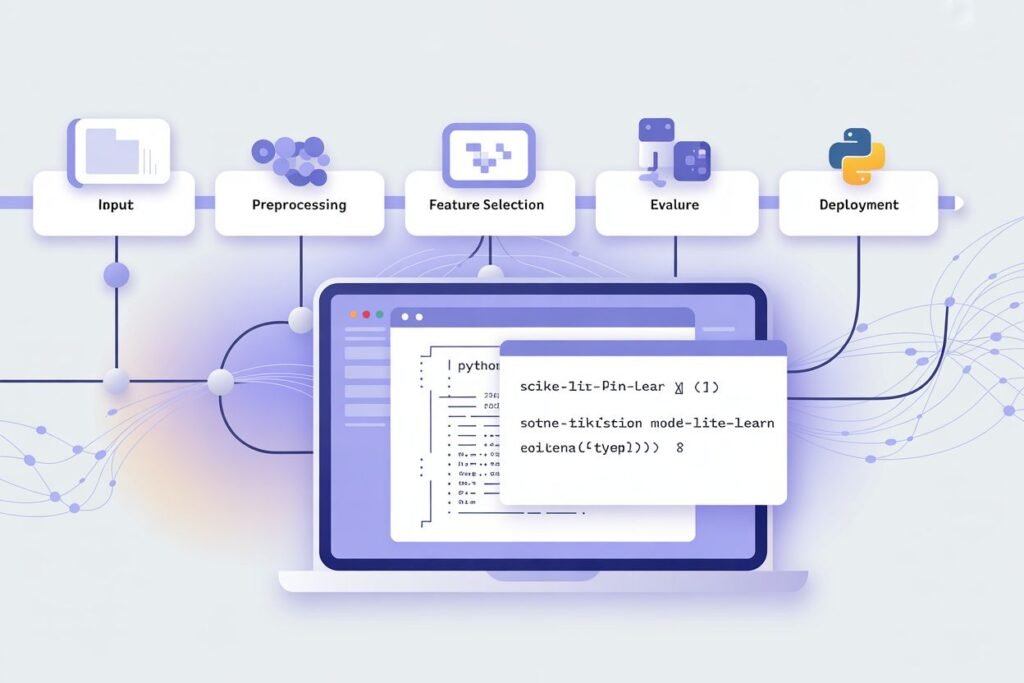

You’ve built models that work on your training data. But when you try to use them on new data, everything breaks. The preprocessing steps you applied aren’t documented. You can’t remember which features you scaled or how you encoded categories. Your code is a mess of scattered transformations that’s impossible to reproduce.
Building production-ready machine learning systems requires organizing your workflow into pipelines that chain preprocessing and modeling steps together. Pipelines solve the reproducibility problem, prevent data leakage, and make your code cleaner and more maintainable. They’re the difference between experimental code and production systems.
A machine learning pipeline is a sequence of data transformation steps followed by a final model. Every step in the pipeline transforms data and passes it to the next step. This ensures you apply the exact same transformations to training data, validation data, and new prediction data. No manual tracking, no missed steps, no subtle bugs.
The problem pipelines solve
Without pipelines, your machine learning code probably looks like this. Load data, manually scale features, encode categories, split into train and test, train a model, then realize you need to remember all those preprocessing steps to make predictions on new data.
When new data arrives, you scramble to figure out which scaler you used and what the fitted parameters were. Did you use standard scaling or min max scaling? What were the mean and standard deviation from training? If you can’t reproduce the exact preprocessing, your model makes garbage predictions.
Data leakage is another subtle problem. You might accidentally fit your scaler on the entire dataset before splitting into train and test. Now information from your test set influenced the scaling parameters, making your evaluation metrics unrealistically optimistic.
Cross-validation becomes a nightmare without pipelines. For each fold, you need to fit preprocessing on training data and apply it to validation data. Doing this manually is error prone and tedious.
Pipelines fix all these issues by packaging preprocessing and modeling into a single object. Fit the pipeline on training data and it learns all necessary parameters. Transform new data and it applies the exact same preprocessing automatically. No manual tracking needed.
Building your first sklearn pipeline
Sklearn’s Pipeline class chains transformation steps and a final estimator. Each step except the last must be a transformer with fit and transform methods. The last step is your model.
Let’s build a simple pipeline that scales features and trains a logistic regression model.
from sklearn.pipeline import Pipeline
from sklearn.preprocessing import StandardScaler
from sklearn.linear_model import LogisticRegression
from sklearn.datasets import make_classification
from sklearn.model_selection import train_test_split

# Create sample data
X, y = make_classification(
    n_samples=1000,
    n_features=10,
    n_informative=8,
    random_state=42
)

X_train, X_test, y_train, y_test = train_test_split(
    X, y, test_size=0.2, random_state=42
)

# Build pipeline
pipeline = Pipeline([
    ('scaler', StandardScaler()),
    ('classifier', LogisticRegression())
])

# Train pipeline
pipeline.fit(X_train, y_train)

# Evaluate
train_score = pipeline.score(X_train, y_train)
test_score = pipeline.score(X_test, y_test)

print(f"Training accuracy: {train_score:.4f}")
print(f"Test accuracy: {test_score:.4f}")
The pipeline fits the scaler on training data, transforms the training data, then trains the classifier on the transformed data. When you call score on test data, it automatically applies the same scaling before predicting.
You can access individual steps using their names. pipeline.named_steps[‘scaler’] gives you the fitted scaler. pipeline.named_steps[‘classifier’] gives you the trained model.
The beauty is you treat the entire pipeline like a single model. Fit it, predict with it, evaluate it, all with the standard sklearn interface. The complexity is hidden inside the pipeline object.
Handling different transformations for different features
Real datasets have mixed feature types. Some columns need scaling, others need encoding, and others should stay unchanged. ColumnTransformer lets you apply different preprocessing to different columns.
Suppose you have numerical features that need scaling and categorical features that need one-hot encoding. ColumnTransformer handles this elegantly.
from sklearn.compose import ColumnTransformer
from sklearn.preprocessing import StandardScaler, OneHotEncoder
from sklearn.ensemble import RandomForestClassifier
import pandas as pd

# Create mixed data
data = pd.DataFrame({
    'age': [25, 35, 45, 55, 65, 30, 40, 50],
    'income': [30000, 50000, 70000, 90000, 110000, 45000, 65000, 85000],
    'city': ['NY', 'LA', 'NY', 'SF', 'LA', 'SF', 'NY', 'LA'],
    'purchased': [0, 1, 0, 1, 1, 0, 1, 1]
})

X = data.drop('purchased', axis=1)
y = data['purchased']

# Define column transformer
preprocessor = ColumnTransformer([
    ('num_scaler', StandardScaler(), ['age', 'income']),
    ('cat_encoder', OneHotEncoder(drop='first'), ['city'])
])

# Build complete pipeline
full_pipeline = Pipeline([
    ('preprocessor', preprocessor),
    ('classifier', RandomForestClassifier(random_state=42))
])

# Train
full_pipeline.fit(X, y)

# Make predictions on new data
new_data = pd.DataFrame({
    'age': [28],
    'income': [55000],
    'city': ['NY']
})

prediction = full_pipeline.predict(new_data)
print(f"Prediction: {prediction[0]}")
The ColumnTransformer applies StandardScaler to numerical columns and OneHotEncoder to categorical columns. Both transformations happen automatically when you fit or transform data through the pipeline.
This approach scales beautifully to complex preprocessing. Add as many transformation steps as needed for different column groups. The pipeline ensures consistent application across all your data.
Cross-validation with pipelines
Pipelines integrate seamlessly with cross-validation. The crucial benefit is that preprocessing gets fitted separately for each fold, preventing data leakage.
from sklearn.model_selection import cross_val_score

# Cross-validation with pipeline
cv_scores = cross_val_score(
    full_pipeline,
    X,
    y,
    cv=5,
    scoring='accuracy'
)

print(f"Cross-validation scores: {cv_scores}")
print(f"Mean CV accuracy: {cv_scores.mean():.4f}")
print(f"Standard deviation: {cv_scores.std():.4f}")
For each fold, cross_val_score fits the entire pipeline on the training portion and evaluates on the validation portion. The preprocessing learns parameters only from training data, keeping validation data completely separate.
Without pipelines, you’d need to manually fit preprocessing for each fold and carefully apply it to validation data. Easy to mess up, hard to verify you did it right. Pipelines handle this automatically.
Hyperparameter tuning in pipelines
Grid search and random search work with pipelines too. You reference pipeline steps using double underscore notation: stepname__parametername.
from sklearn.model_selection import GridSearchCV

# Define parameter grid for pipeline
param_grid = {
    'preprocessor__num_scaler__with_mean': [True, False],
    'classifier__n_estimators': [50, 100, 200],
    'classifier__max_depth': [5, 10, None]
}

# Grid search
grid_search = GridSearchCV(
    full_pipeline,
    param_grid,
    cv=3,
    scoring='accuracy',
    verbose=1
)

grid_search.fit(X, y)

print(f"Best parameters: {grid_search.best_params_}")
print(f"Best CV score: {grid_search.best_score_:.4f}")
This tunes both preprocessing parameters and model parameters simultaneously. Grid search tests different combinations, fitting the entire pipeline for each combination. The best parameters optimize the full workflow, not just the model.
Being able to tune preprocessing and modeling together is powerful. Maybe your model works better with min-max scaling than standard scaling. Maybe it prefers different encoding strategies. Pipeline-based tuning finds the best combination.
Saving and loading pipelines
Once you’ve trained a pipeline, save it to disk so you can load it later for predictions. Joblib handles serialization efficiently.
import joblib

# Save pipeline
joblib.dump(full_pipeline, 'trained_pipeline.pkl')

# Load pipeline
loaded_pipeline = joblib.load('trained_pipeline.pkl')

# Make predictions with loaded pipeline
predictions = loaded_pipeline.predict(new_data)
print(f"Loaded pipeline prediction: {predictions[0]}")
The saved pipeline includes all fitted preprocessing parameters and the trained model. Load it in a different script or on a different machine and it makes predictions exactly as if you just trained it.
This is crucial for deployment. Train your pipeline in a development environment, save it, then load it in production. The saved pipeline guarantees that production preprocessing matches training preprocessing perfectly.
Custom transformers in pipelines
Sometimes you need transformations not provided by sklearn. Create custom transformers by inheriting from BaseEstimator and TransformerMixin.
from sklearn.base import BaseEstimator, TransformerMixin

class LogTransformer(BaseEstimator, TransformerMixin):
    def __init__(self, features):
        self.features = features

    def fit(self, X, y=None):
        return self

    def transform(self, X):
        X_copy = X.copy()
        for feature in self.features:
            X_copy[feature] = np.log1p(X_copy[feature])
        return X_copy

# Use custom transformer in pipeline
custom_pipeline = Pipeline([
    ('log_transform', LogTransformer(['income'])),
    ('scaler', StandardScaler()),
    ('classifier', LogisticRegression())
])
Custom transformers integrate seamlessly with sklearn pipelines. They follow the same fit and transform interface so pipelines treat them like built-in transformers.
This flexibility lets you implement any preprocessing logic while maintaining the benefits of pipelines. Complex feature engineering, domain-specific transformations, or custom cleaning steps all fit into the pipeline framework.
Best practices for production pipelines
Keep pipelines simple and readable. Each step should have a clear purpose. If your pipeline has 15 steps, consider whether they’re all necessary or if some could be combined.
Version your pipelines along with your code. When you change preprocessing or modeling, save the new pipeline with a version number. This lets you track which pipeline version produced which predictions.
Test your pipeline thoroughly. Create unit tests that verify preprocessing steps work as expected. Test the full pipeline on sample data to catch integration issues.
Document what each pipeline step does and why. Future you or your teammates need to understand the logic. Comments in code help but external documentation is better for complex pipelines.
Monitor pipeline performance in production. Log predictions, track error rates, and watch for data drift. Pipelines trained on old data might degrade over time as data distributions shift.
Machine learning pipeline construction separates experimental code from production systems. Pipelines ensure reproducibility, prevent subtle bugs, and make your machine learning workflows maintainable. They’re not optional for serious work. Ready to apply everything you’ve learned about features, tuning, trees, and pipelines? Check out our guide on feature engineering in machine learning to master the techniques that improve model performance more than any algorithm choice.