
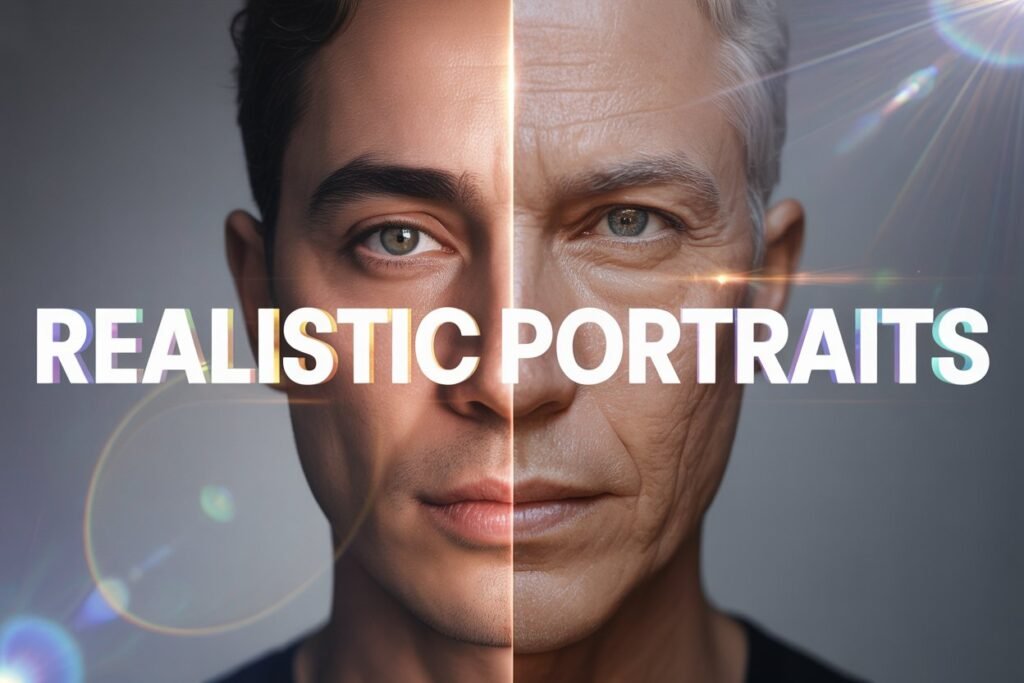

Creating realistic AI portraits requires more than simple prompts. By mastering advanced techniques such as refining skin textures, managing lighting, and guiding facial expressions you can produce photorealistic results. These strategies represent the pinnacle of structured prompting, where precision and detail converge to create lifelike images.
One of the most exciting uses of AI image generation is creating portraits that look almost like photographs. A realistic AI portrait captures details in skin, lighting, and expression that make the image feel alive. Yet getting there is not always simple. Many first attempts produce results that look artificial or unfinished. With the right prompting techniques and attention to detail, you can move much closer to photorealism.
Why realism is challenging
AI models are trained on massive datasets of images. They learn patterns of how faces and bodies appear, but they do not understand them the way humans do. Without precise instructions, the AI might exaggerate features, blend styles awkwardly, or miss important details like eye focus and skin tone. Realism requires prompts that guide the model toward accuracy while still leaving space for artistic nuance.
The role of lighting
Lighting can make or break a portrait. In photography, professionals spend years mastering how light shapes the face. The same principle applies to AI portraits. Adding modifiers like “soft natural lighting,” “studio lighting,” or “golden hour glow” tells the AI what mood and tone you want.
For instance, a prompt that simply says “portrait of a man” may create something flat. Add “cinematic lighting with gentle shadows” and the face gains depth and realism. If you want a fashion look, “studio lighting with high contrast” adds sharpness. For a more artistic result, “backlit with warm tones” can create atmosphere.
Skin texture and imperfections
Perfect skin often looks fake. Realistic portraits usually include imperfections such as freckles, pores, or slight wrinkles. Adding these details to prompts helps the AI break away from plastic smoothness. Phrases like “natural skin texture with fine detail” or “subtle freckles and soft pores” encourage authenticity.
Experiment with age as well. Prompts that describe “an elderly woman with deep wrinkles and gentle eyes” often produce more lifelike results than generic requests for “a woman.” Age related descriptors ground the model in reality and add character.
Expressions and emotion
A realistic portrait is not just about physical accuracy. It is also about capturing emotion. Describing expressions in prompts adds depth and personality. Instead of asking for “a portrait of a man,” you might write “a portrait of a man with a slight smile and thoughtful eyes.”
Other useful expressions include “serious gaze,” “subtle grin,” or “calm expression.” These give the AI a reference for the emotional tone of the image. Just as in real photography, the look in the eyes often determines whether the portrait feels real or artificial.
Camera perspective and focus
Perspective matters. The angle of the shot influences realism. Prompts like “close up portrait,” “three quarter angle,” or “wide angle headshot” give the AI a sense of how to frame the subject. Combining these with focus instructions such as “sharp focus on the eyes, blurred background” creates depth similar to professional portrait photography.
Shallow depth of field is a classic choice. It makes the subject sharp while softening the background. Using phrases like “bokeh background” or “shallow depth of field” can add that photographic touch.
Color and mood
Color palettes affect how real an image feels. Natural tones often create more believable portraits than oversaturated colors. Words like “neutral tones,” “warm light,” or “soft contrast” steer the AI toward balanced palettes. For moodier portraits, you might add “cool tones with dramatic shadows.”
The key is to match color and mood with the subject. A joyful portrait may call for brighter colors, while a serious or dramatic one might look better with subdued tones.
Iteration and refinement
Rarely does the first prompt give a perfect result. Iteration is essential. Start with a simple prompt that includes subject, style, and lighting. Then refine step by step. If the skin looks too smooth, add texture. If the lighting feels flat, change it to cinematic. If the eyes look lifeless, describe an expression.
Keeping track of your adjustments helps. Save each prompt version so you can compare results and learn which modifiers work best. Over time, you will build a personal process that produces consistent and realistic portraits.
Advanced tips for realism
- Use technical modifiers like “8k resolution” or “high detail” to sharpen features.
- Include artistic references such as “in the style of portrait photography” to anchor the model.
- Experiment with age, ethnicity, and features to add diversity and authenticity.
- Avoid stacking too many conflicting modifiers. Simplicity often produces better realism than cluttered prompts.
These advanced steps build on the fundamentals. They take practice but lead to images that look increasingly like real photos.
Realistic AI portraits depend on a mix of technical guidance and creative description. Lighting, skin texture, expression, perspective, and color all contribute to the final look. By practicing iteration and refining your prompts, you can move beyond generic faces and create portraits that feel alive. Mastering prompt modifiers will fine-tune these details and open new possibilities for your images.